Google announced new Business Agents, branded AI Agents, a "new way for shoppers to chat with brands, right on Search," Google said. "It’s like a virtual sales associate that can answer product questions in a brand’s voice, enabling retailers to connect with consumers during critical shopping moments and help drive sales," Google added.
This launches today, with retailers like Lowe’s, Michael’s, Poshmark, Reebok and others.
Eligible U.S. retailers can choose to activate and customize this branded agent in Merchant Center. In the coming months, they’ll be able to train the agent based on their data, access new customer insights, provide offers for related products and enable direct purchases — including agentic checkout — within the experience.
This reminds me of when we spotted the sales assistant and Google Shopping AI Chat features.
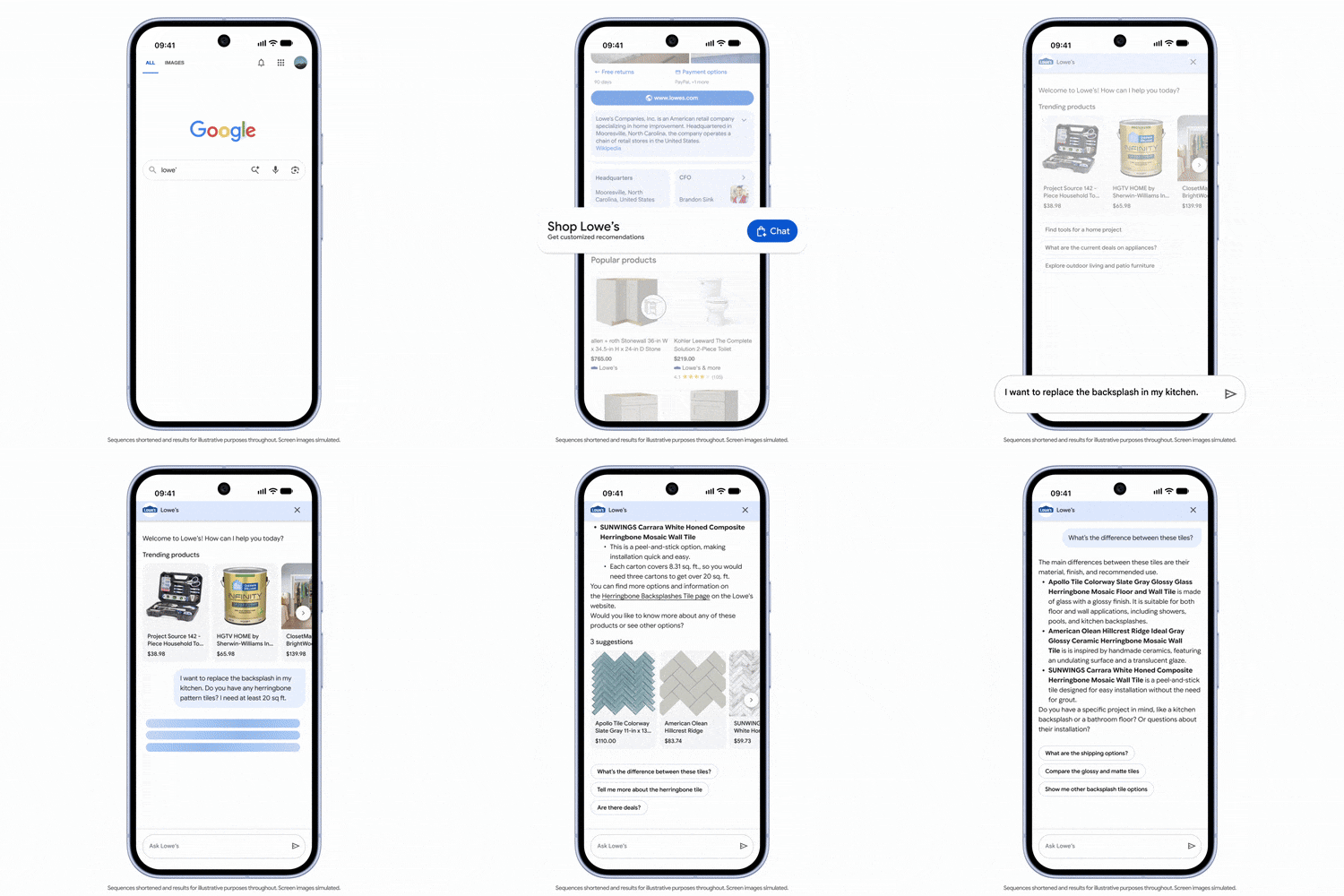
Here is how it looks:
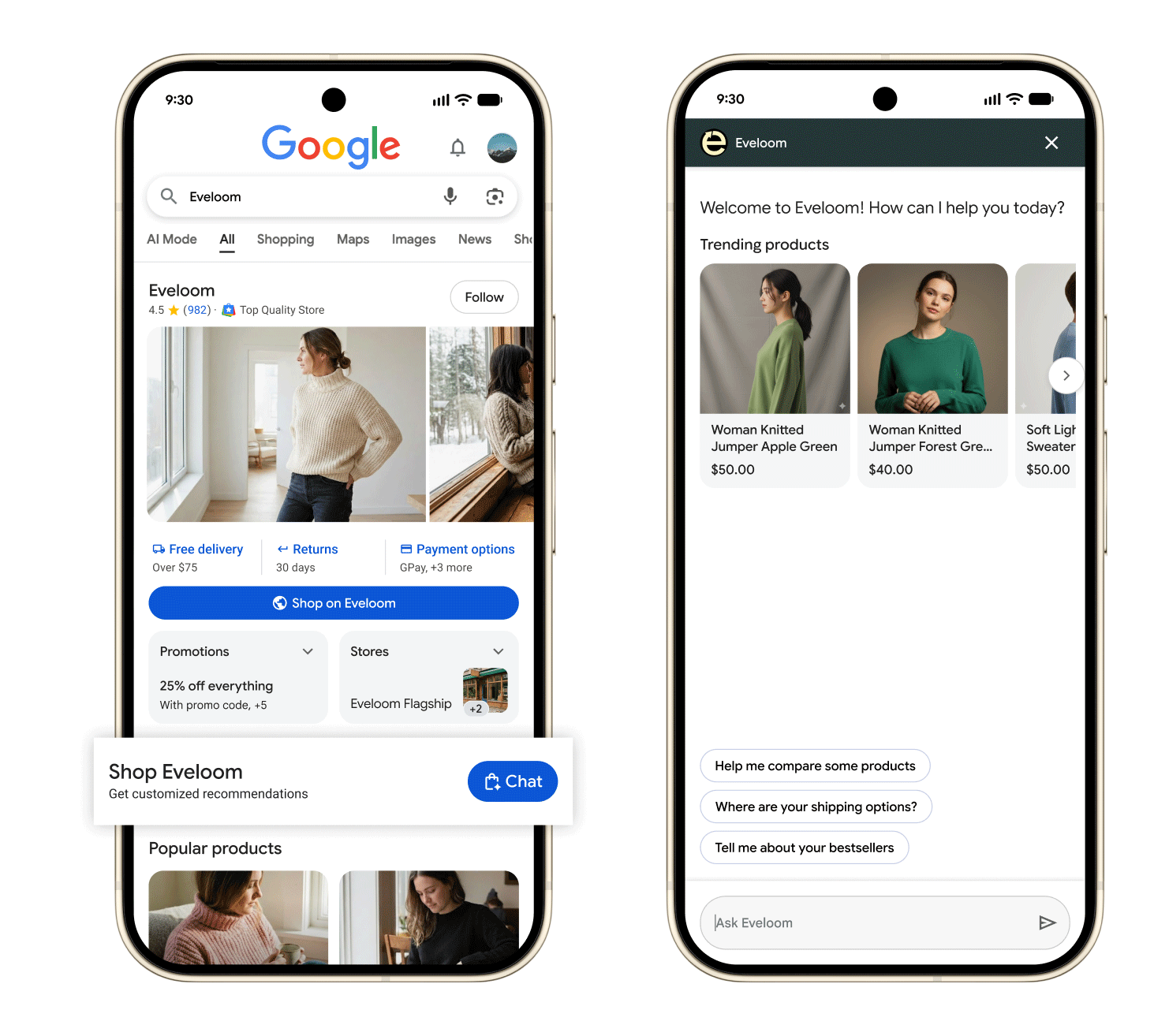
GIF:
To be eligible to customize your Business Agent, your business must meet these criteria:
- Be located in the US.
- Have a verified Google Merchant Center account.
- Have at least 50 approved offers.
- Have a claimed brand profile.
Google said:
- Customized experience: Choose your brand’s colors, different welcome messages, and prompts for conversation starters to better fit your brand.
- More helpful answers: Business Agent uses information from your company’s website, which allows this virtual assistant to provide more helpful answers in addition to your shopping data in Merchant Center.
And in the future, Business Agent will enable you to train your agent further using your business data, like brand guidelines, services, and size guides, which can improve the answers and helpfulness of this virtual associate more. Performance insights and agentic checkout are also coming soon, Google added.
To cutomize your Business Agent:
(1) Go to your Merchant Center account.
(2) On the left, under "Marketing," select Business Agent.
(3) Under "How your Business Agent appears," select Customize.
(4) In the pop-up window, update your Business Agent’s identity:
- Welcome message: Write the greeting you want to show to your customers when they open the chat.
- Conversation starters: Choose suggestion prompts to start the conversation.
- Appearance: Choose header and background colors that fit to your brand identity.
- Support handoff: Add support contact information so that your customers can reach your customer support if needed.
(5) Select Save.
(6) In the pop-up window, select Save and turn on customized agent.
A standard Google-branded version of Business Agent is shown to customers until you complete customization.
Brodie Clark now has access to it and he wrote on X, "It’s like a virtual sales associate that can answer product questions in a brand’s voice, enabling retailers to connect with consumers during critical shopping moments and help drive sales."
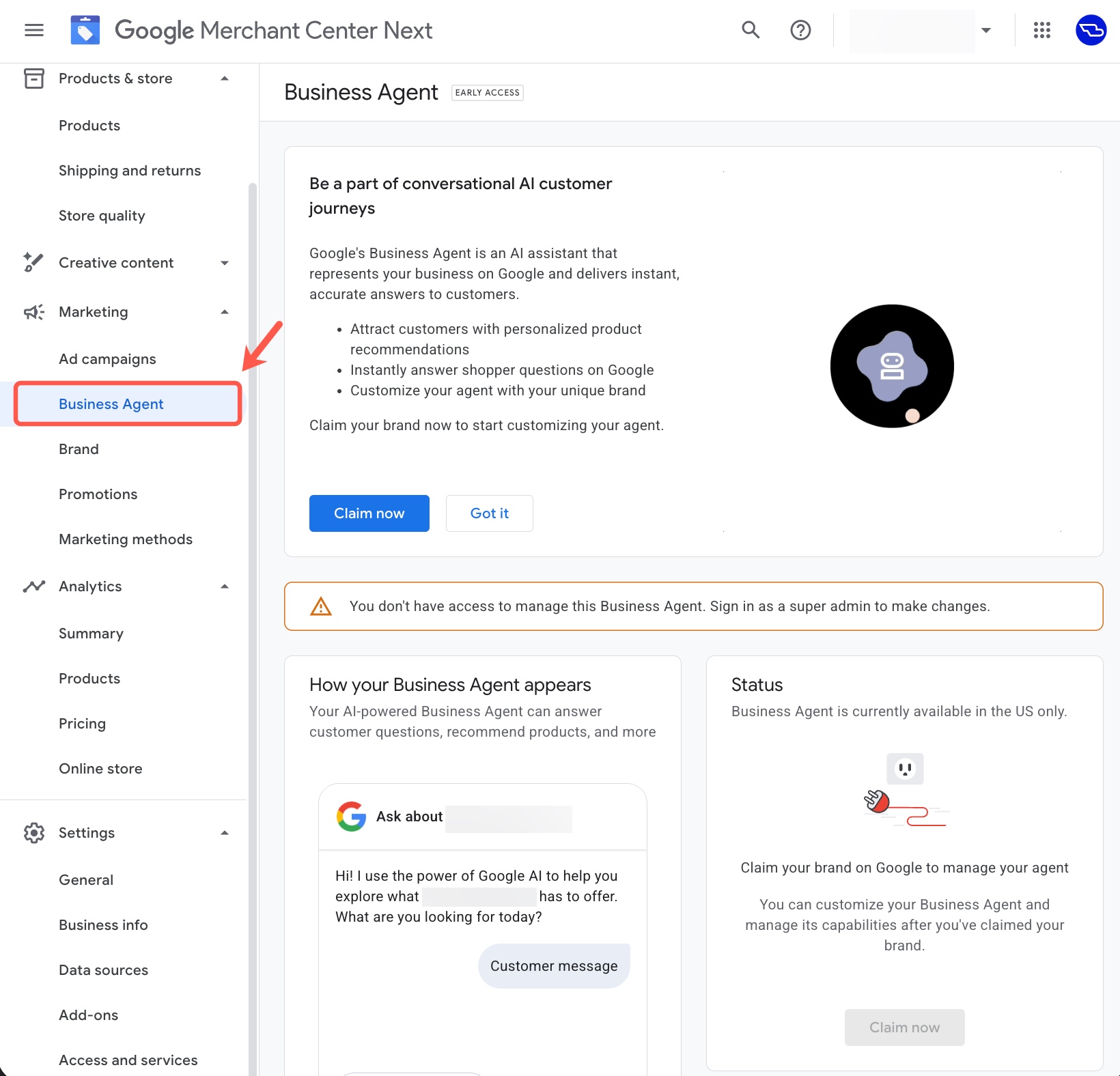
There are more details on how to set this up over here.
Forum discussion at X.
Update: This is live pretty quickly:
Branded AI Agents are live -> Just chatted with the branded AI agent for Lowes in the SERPs. Worked well, provided info and products based on my query, and I ended up on Lowes' site to buy (if I was planning to...) Look for those branded AI agents today from various retailers… pic.twitter.com/Ae5V5T7SWd
— Glenn Gabe (@glenngabe) January 13, 2026