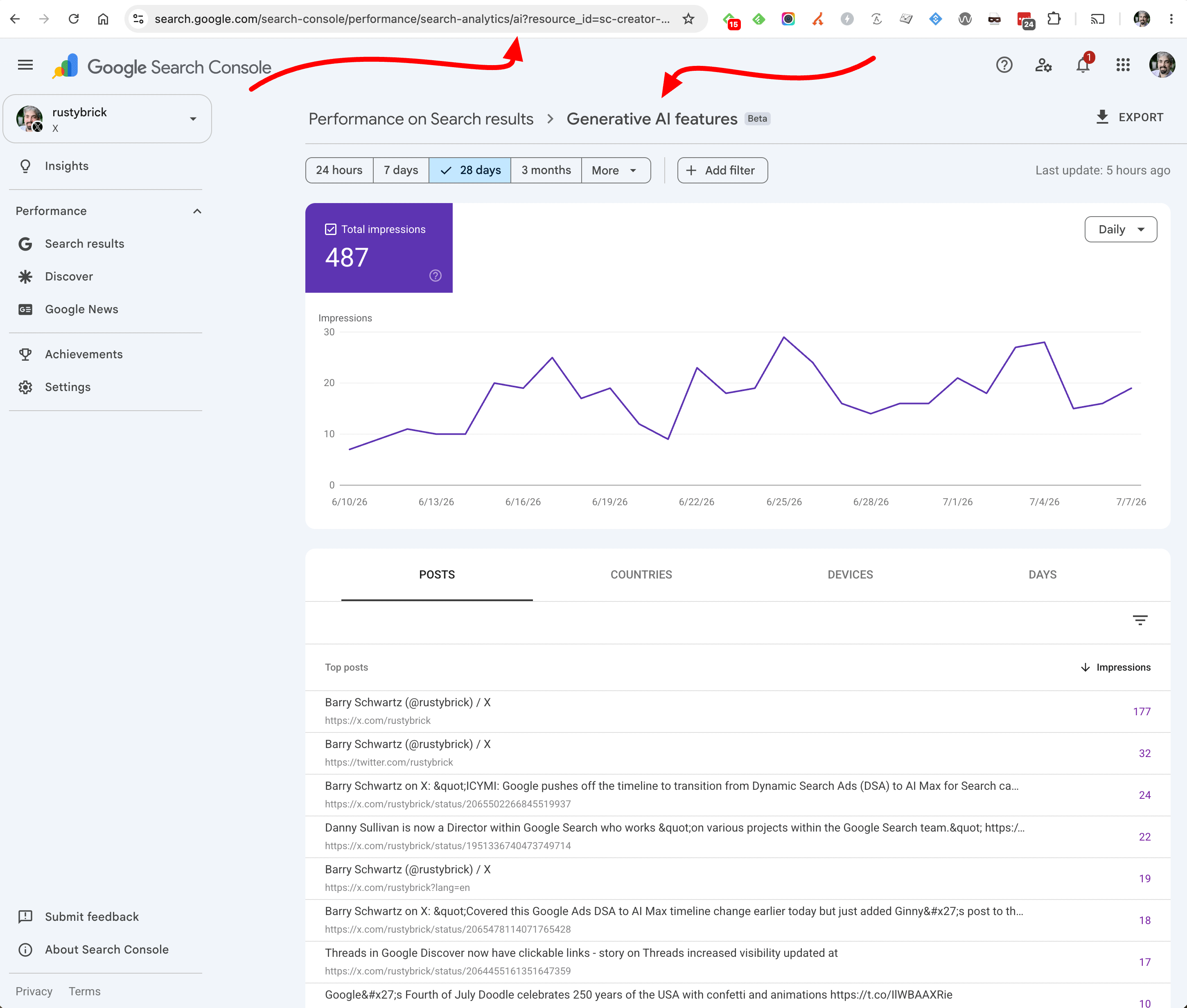
There is this hack (or trick) to force Google Search Console to show you the generative AI performance report for your social and video content, the new platform properties feature. All you need to do is add "/ai" after "search-analytics" or "discover" in the URL within Search Console. This doesn't work for normal properties but it currently works for the platform properties (at least for now).
So you add the bold part to this URL https://search.google.com/search-console/performance/search-analytics/ai?resource_id=sc-creator-profile
Here is a screenshot of this in action:
And this is the normal - non AI performance report:
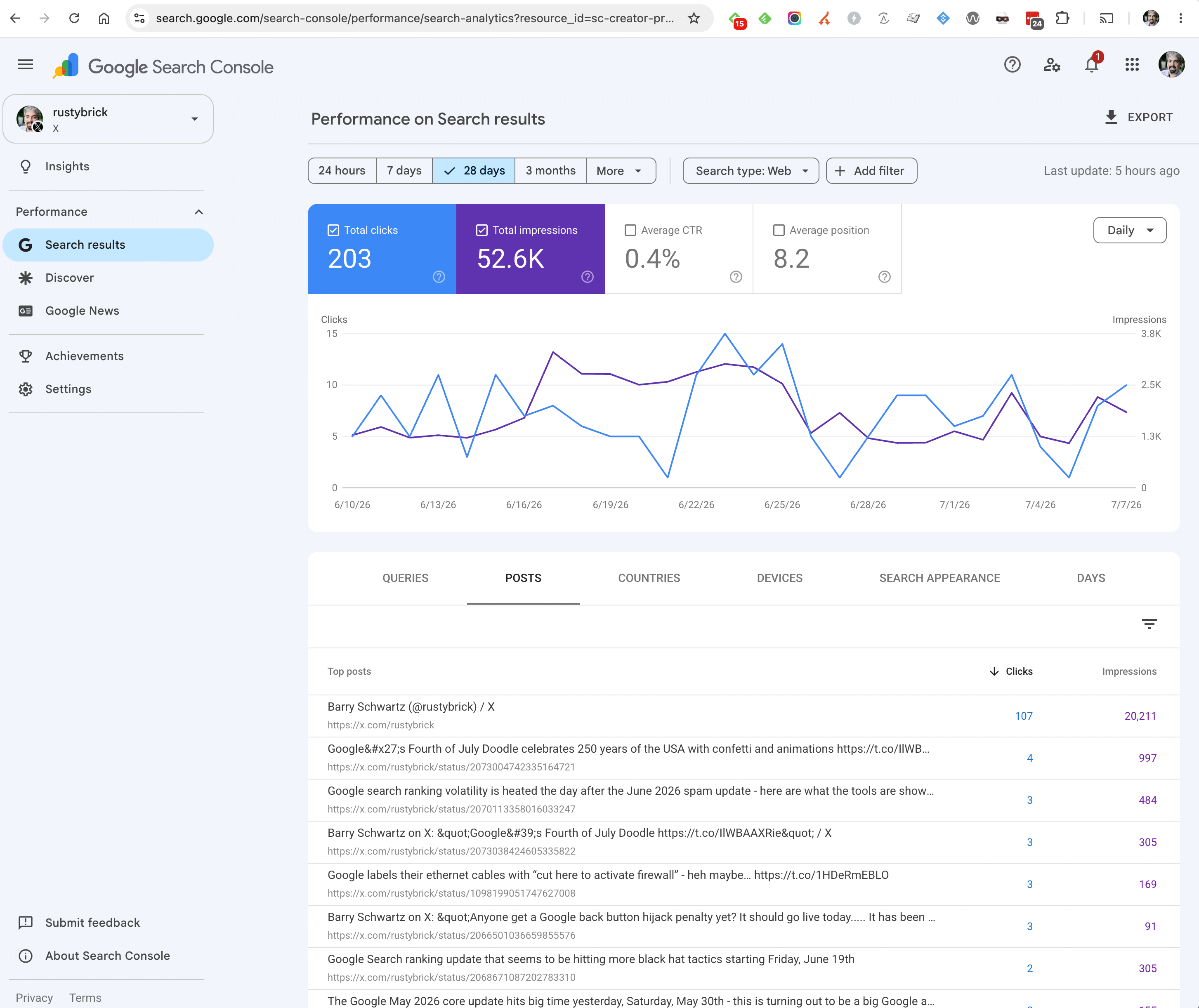
There is a clear difference.
I spotted this via Kenichi Suzuki who told me about this on X last night. He said, "I found that AI Perf is also available on Platform Properties, such as X and YT. Simply add "/ai" after "search-analytics" or "discover" in the URL."
Again, this works for the platform properties but does not work for normal properties. Although, Google has expanded access to the AI performance reports to many. I even see it on several properties I have access to.
Forum discussion at X.