
Google Ads has made the Campaign total budgets officially live as an open beta for any advertiser to sign up and use. Campaign total budgets are now available in Search, Performance Max and Shopping campaigns within Google Ads.
We've spoken about Campaign total budgets a few times on this site, in November we thought it went live and in September it was being tested and then Google also teased it in September.
But now Google officially opened it up as a beta for all advertisers in Google Ads. Google wrote, "Campaign total budgets are now available in open beta for Search, Performance Max and Shopping campaigns, allowing you to set the budget you want over a specific period of time from a few days to a few weeks."
Ginny Marvin, the Google Ads Liaison wrote on X, Campaign total budgets are now in open beta for Search, PMax, and Shopping globally!" She said it is designed for fixed budgets for short-term promotions/seasonal pushes, the duration is 3 to 90 days and the pacing is for Smart adjustment based on demand (no forced 'burst' spending at the start or end of the campaign).
"Instead of making daily manual tweaks to keep pace, campaign total budgets optimize your spend and aim to fully and effectively utilize your budget by your end date. Whether you’re running a 72-hour test or a month-long activation, you can launch with confidence knowing you won’t overspend or miss out on opportunities. Your campaign will stay on track for your budget goals without the need for daily maintenance," Google added.
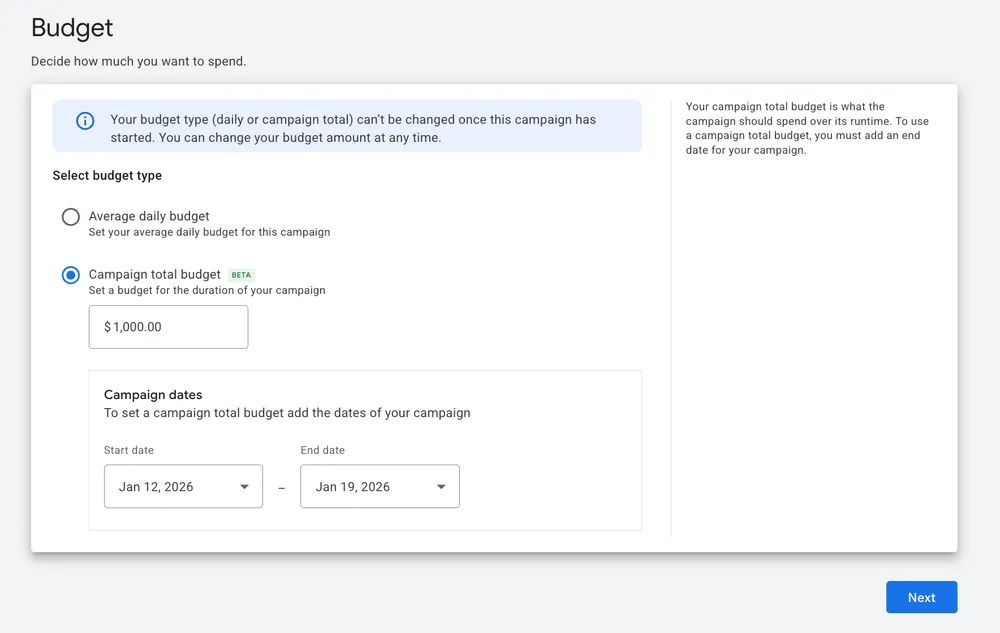
Here is a screenshot:
How do campaign total budgets and average daily budgets differ?
- Campaign total budgets: This option is ideal when you have a set amount you want to spend over a specific period. It takes into account how much has been spent so far and adjusts spending daily to attempt to spend the total budget in the remaining days. There are no daily spending limits, and you will never be charged more than your total budget.
- Average daily budgets: Choose this if your budget is more flexible. You will never be charged more than your daily spending limit (2 times your average daily budget for most campaigns) on any particular day or your monthly spending limit (30.4 times your average daily budget for most campaigns) in any particular month. Learn more about average daily budgets.
To set up campaign total budget:
- Go to Campaigns within the Campaigns menu Campaigns Icon.
- Click on the plus button to create a new campaign.
- Follow the steps to set up bidding, campaign settings, and assets.
- Under “Budget”, select “Campaign total budget”.
- Enter your campaign’s total budget, then determine your campaign’s “Start date” and “End date”. Your campaign’s “End date” can be adjusted to extend your campaign dates if needed.
You can learn more in this help document.
Forum discussion at X.