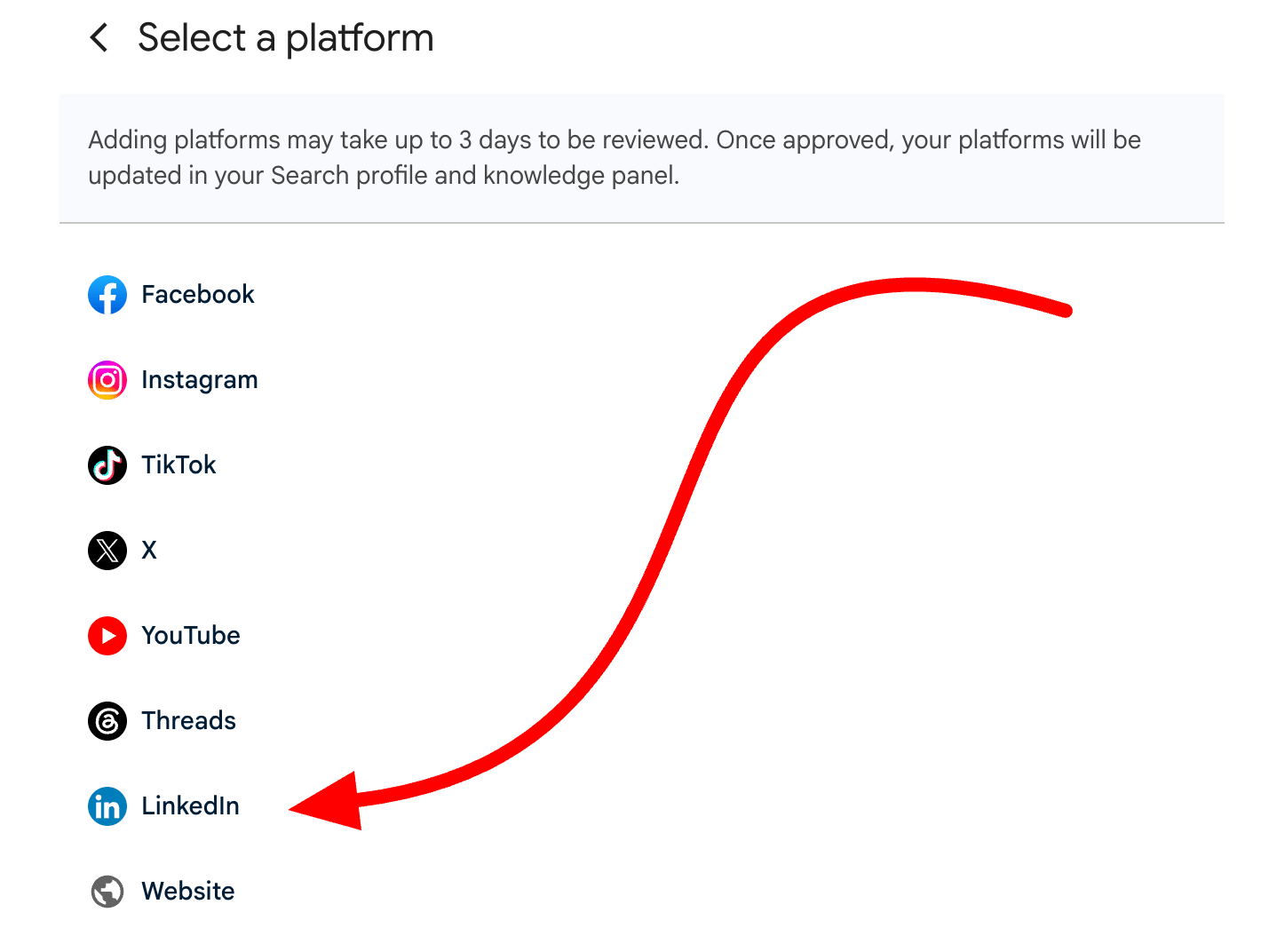
Google has made it easier to manage your LinkedIn profile in Google Search Profiles by adding it as an option to the list of social network platforms that you can connect. Previously, Google would automatically add LinkedIn to Search Profiles on its own but now you can try to add it manually if you want.
And yesterday, Google seemed to have quietly rolled out Search Profiles globally.
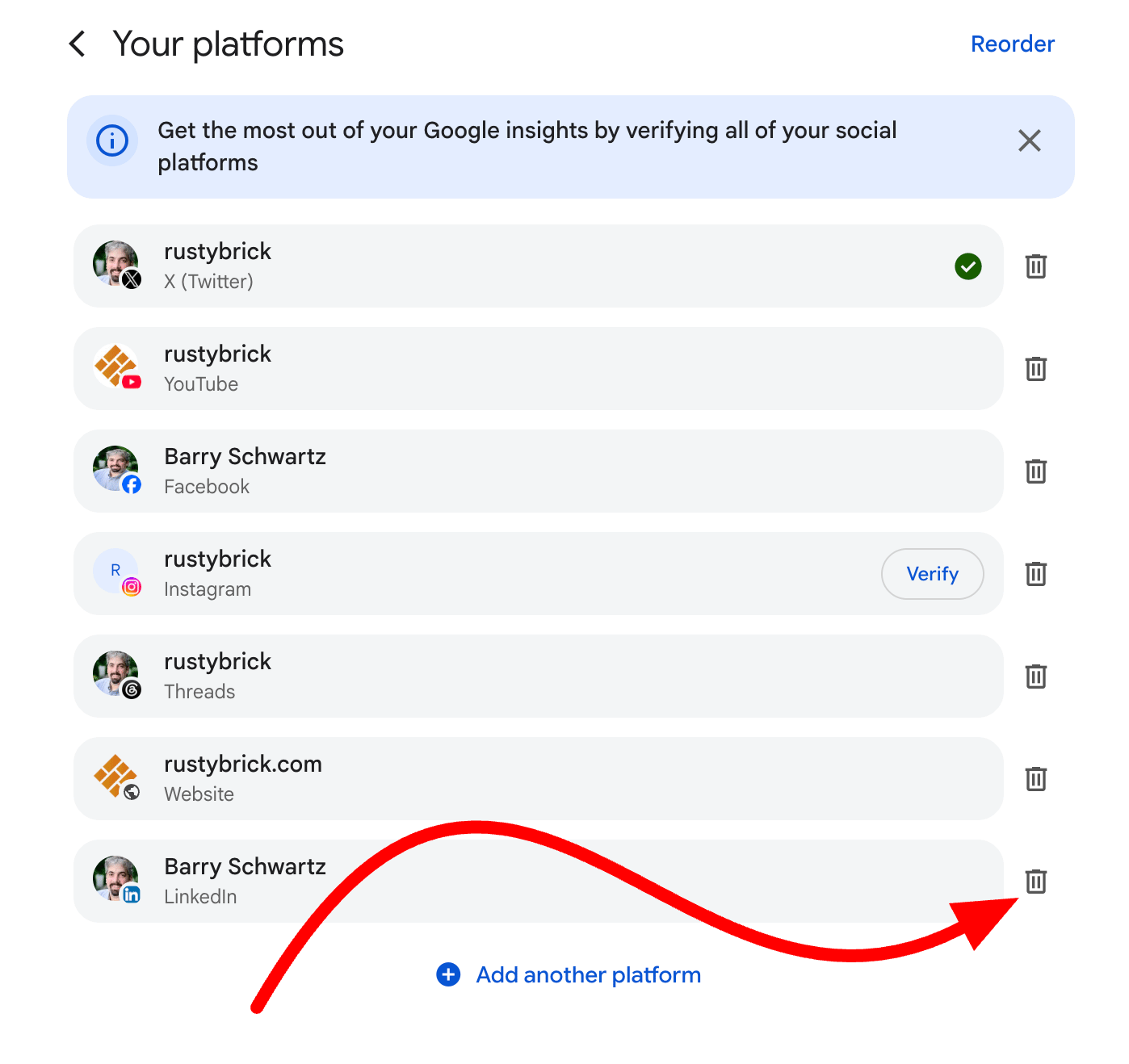
Technically, the only supported social platforms YouTube, TikTok, Instagram and X but you can manually add Facbook, Threads, LinkedIn and your website.
This update was spotted by Damien Andell who posted about it on X and wrote, "You can now manually add LinkedIn to your search profile if it's already claimed."
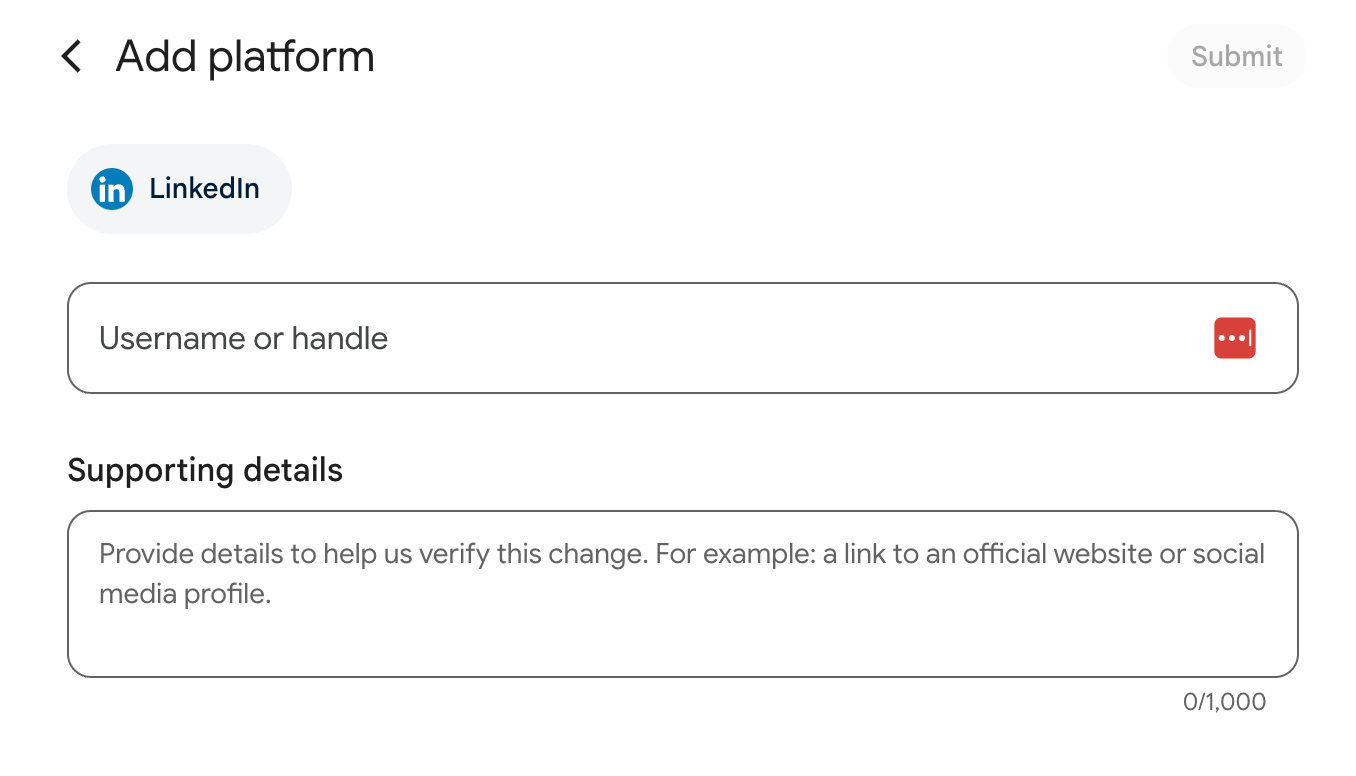
Here is a screenshot of the new LinkedIn method:
After you try to add it, you need to fill in these two additional boxes:
You can also delete it, but that delete button has been there for some time:
Not everyone can make a Search profile, you need to be "sizeable" enough to get one (now 10,000). Here are help documents on how to create a search profile, claim a search profile and manage a search profile. You can also go to creators.google/profile to walk you through claiming your profile.
Here is my Search profile - if you want to follow it: profile.google.com/@rustybrick.
There is also this bug where you can add any URL you want according to Damein:
In Source Preferences, I noticed a bug where URLs can be added, including a YouTube URL, when it should be a domain: https://t.co/9r99EfL6gX
This works with any URL.
CC @gaganghotra_ @rustybrick https://t.co/e0kkZnSwzZ
— Damien Andell (@AndellDam) November 22, 2026
Forum discussion at X.