
Google now lets you add your shipping and returns information within Google Search Console, even if you do not have a Google Merchant Center account. Previously, Google let you do this only if you had a Merchant Center account, that is no longer a requirement.
Plus, Google also lets you use new structured data to send this information to Google Search - just when you thought structured data was dead :).
Google wrote:
We're excited to announce that we're now expanding the options for merchants to provide shipping and returns information, even if they don't have a Merchant Center account. Merchants can now tell Google about their shipping and returns policies in two distinct ways: by configuring them directly in Search Console or by using new organization-level structured data.
Google Search Console Method
If Google identifies your website as an online merchant/retailer Google will let you set this up. You can set up your shipping and returns policies directly within Google Search Console, if this is activated.
Google will give you the following screen to enter the shipping and returns policies:
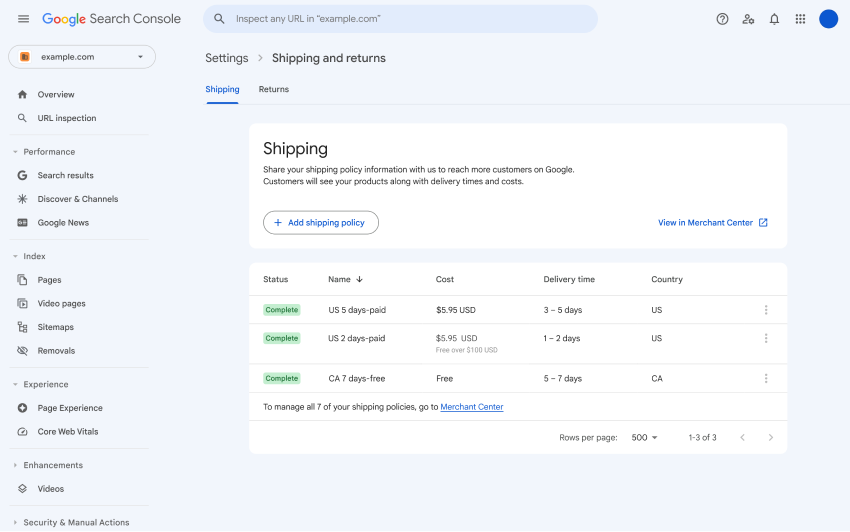
Google noted that the settings configured in Search Console will take precedence over structured data on your site.
The "Shipping and returns" configuration will be rolling out gradually over the coming weeks for all countries and languages.
Markup Method:
Google also supports markup, where you add organization-level shipping policy structured data. Yep, new structured data and the help document is over here.
Google wrote:
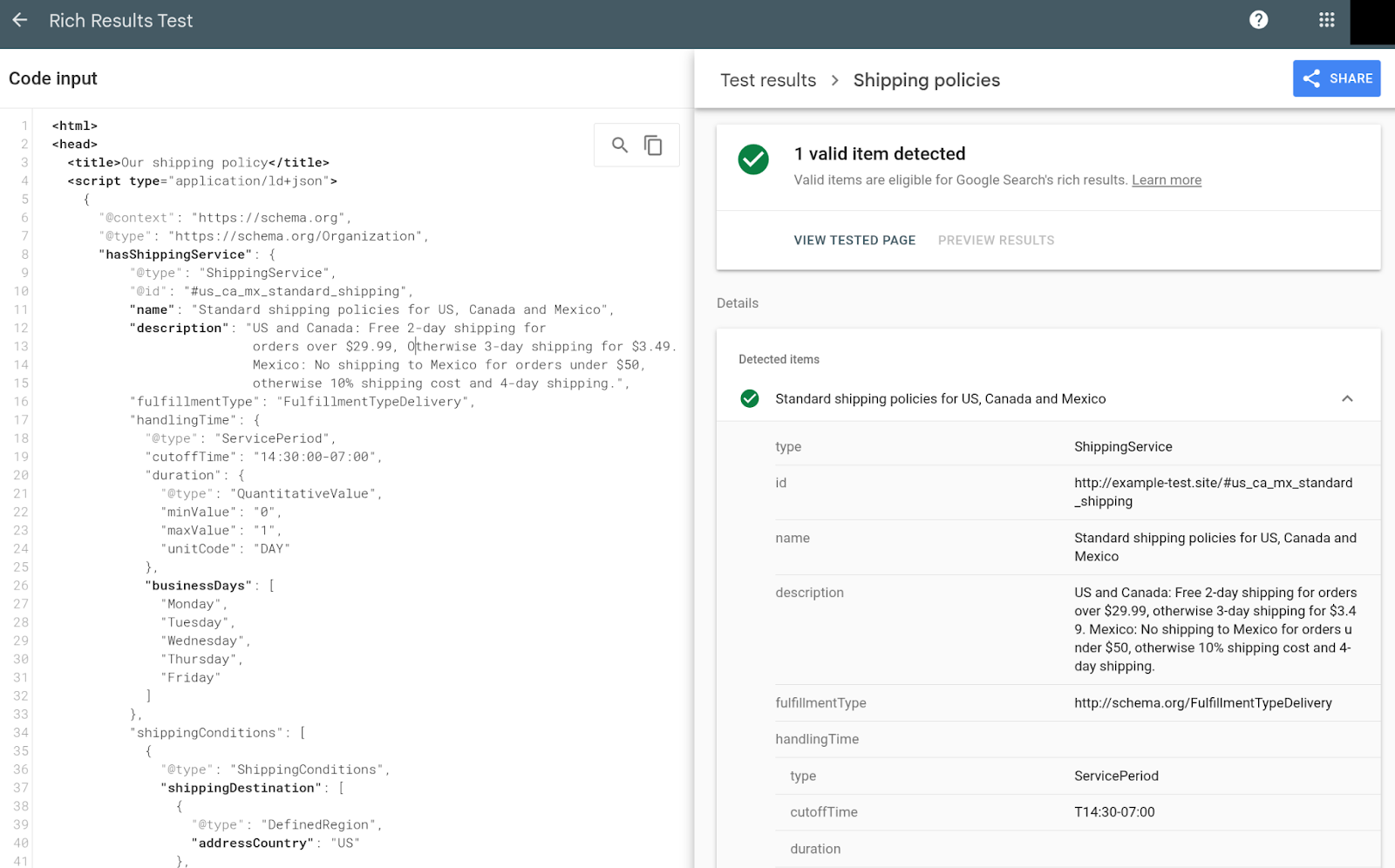
This new markup support complements last year's launch of organization-level return policies. Instead of adding shipping markup to every single product, you can now specify a general, site-wide shipping policy. This is ideal when your shipping policies apply to the majority of your products, as it reduces the amount of markup you need to manage. Shipping policies specified for individual products will still take priority over this general, organization-level policy for those specific items.We recommend placing shipping structured data (nested under Organization) on the page where you describe your shipping policy. You can then test your markup using the Rich Results Test by submitting the URL of the page with shipping markup or pasting the code snippet with shipping markup. Using the tool, you can confirm whether or not your markup is valid.
If your site is an online or local business, we recommend using one of the OnlineStore or LocalBusiness subtypes of Organization.
Here is an example:
Check out the full documentation over here.
Forum discussion at LinkedIn.