Google is pushing even more ways directly into AI Mode from the main Google home page's search bar. Now when you select to upload an image or file, it will take you into AI Mode by default. This is instead of taking you into Google Image search or main Google Search.
Here is how it works, you select the plus sign on the left of the search bar on the Google.com desktop interface:
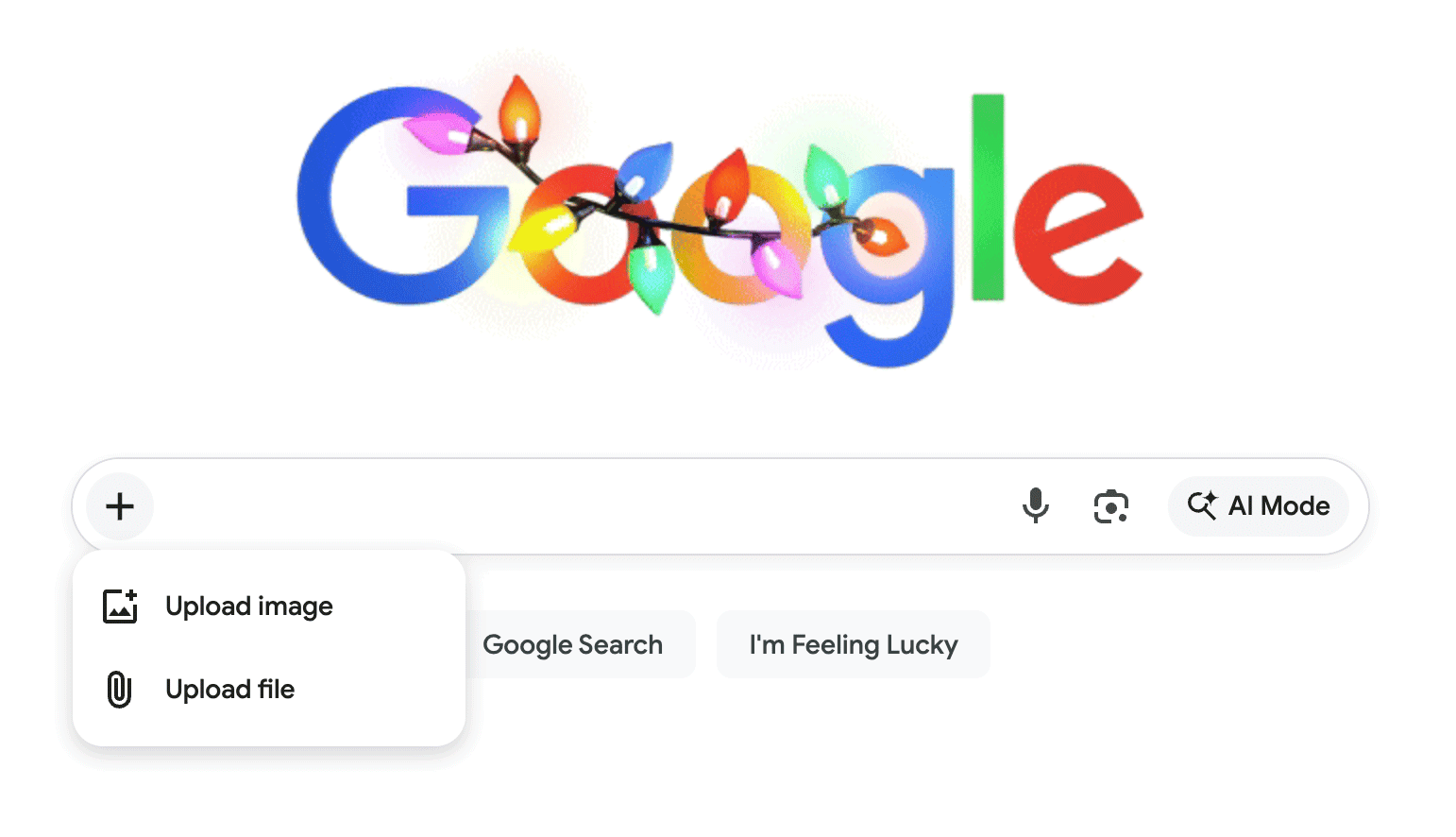
Then you upload the file or image and it attaches it to your query, you type in your query:
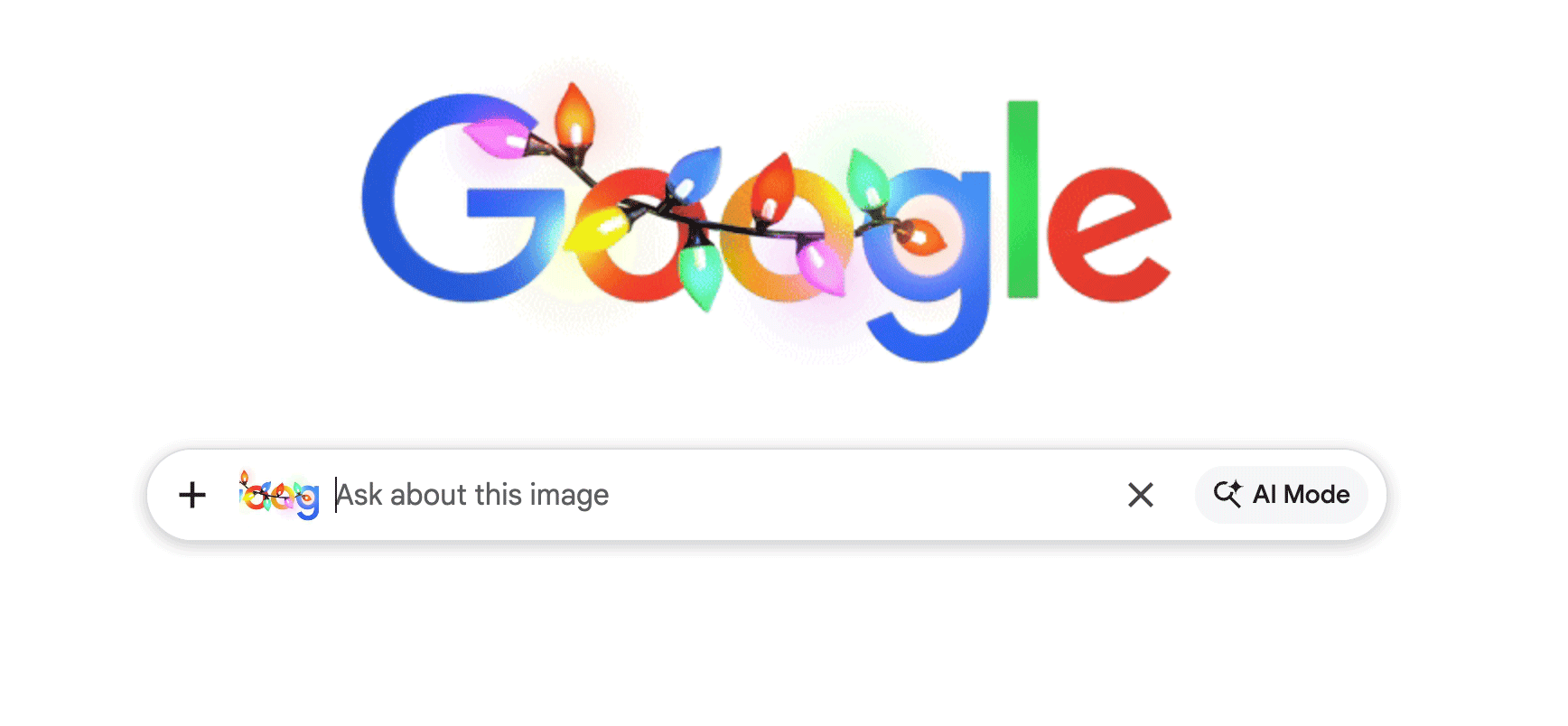
When you click search, you are not taken to Google Search or Image Search, you are taken directly to AI Mode:
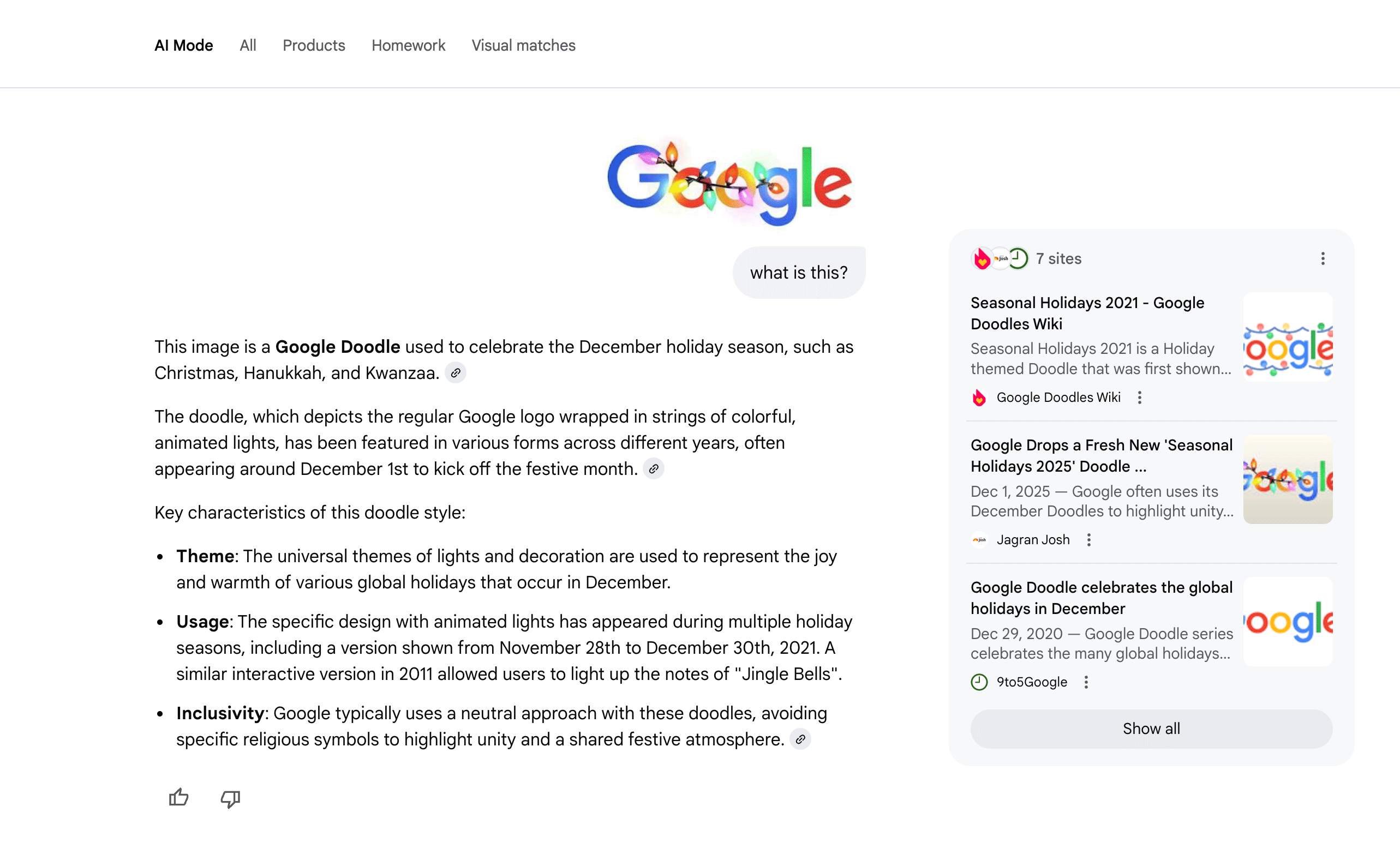
Like I said yesterday, when Google began testing blending AI Mode into AI Overviews, all of these changes, including this one, does make it seem like AI Mode will be the default Google Search experience, despite Google saying no.
A few hat tips on this:
Google with + icon at search bar . for upload image or file. I attached image and ask it takes me to ai mode .
— Khushal Bherwani (@b4k_khushal) December 3, 2025
Here is snap for ref
Before it was paper clip icon https://t.co/cGxIbs4ULh pic.twitter.com/TsR3mNkn81
Is this a new feature? It seems like there’s now an option in Google Search to upload an image / file and go directly into AI mode.
— Shameem Adhikarath (@shemiadhikarath) December 3, 2025
cc: @rustybrick pic.twitter.com/CiuT3WxbrD
Google looks to have now launched an image and file upload icon attached to their homepage on desktop by default in the US.
— SERP Alert ⚡️ (@SERPalerts) December 3, 2025
When uploading a file, entering the search takes the user directly to AI Mode. The expectation here is that adding a file assumes that AI Mode is a more… pic.twitter.com/WjhIiCUfMc
Forum discussion at X.
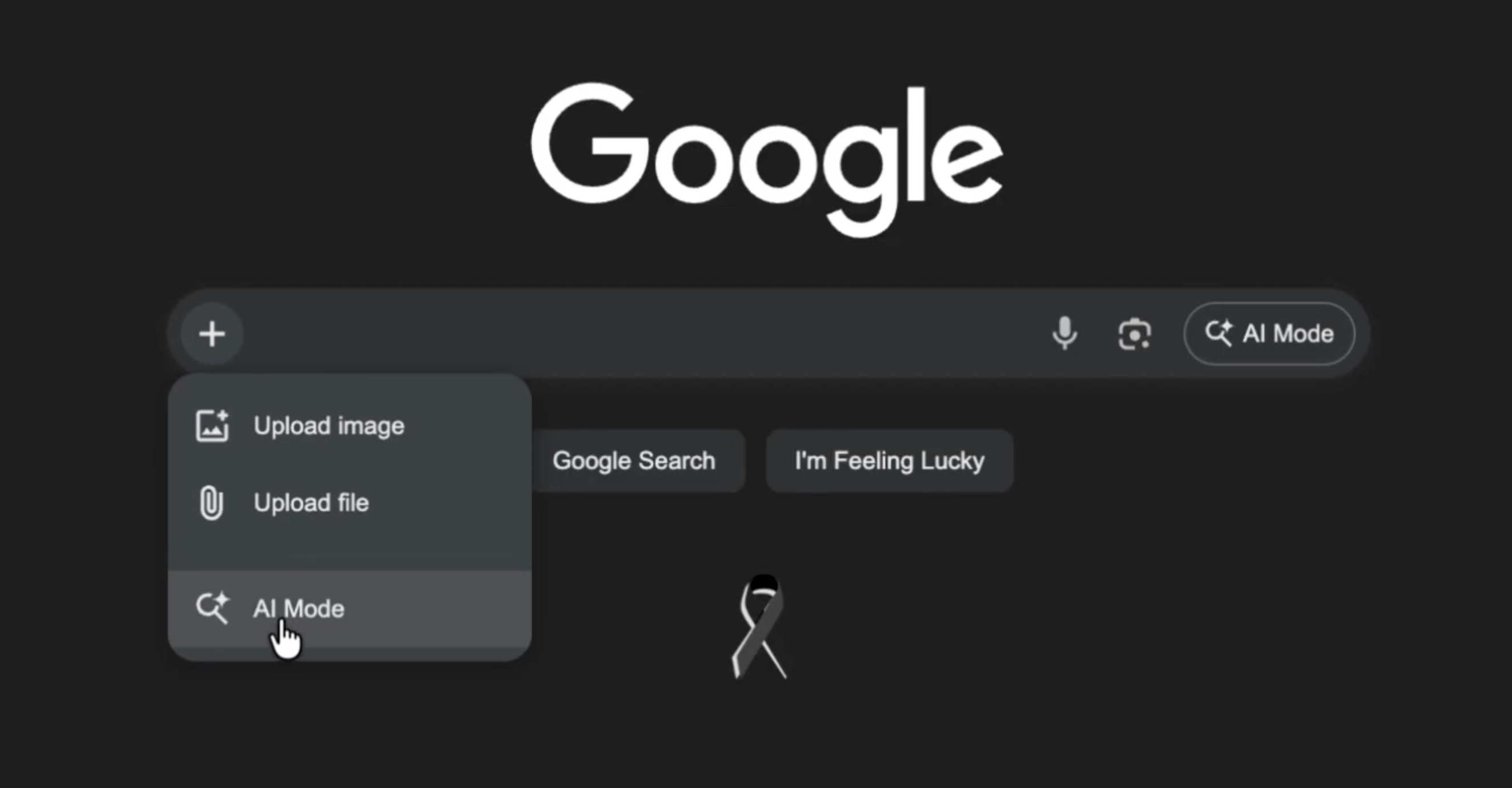
Update: Google is also testing "AI Mode" directly in the + option in the search bar:
And also directly clicking that "AI Mode" button
— Gagan Ghotra (@gaganghotra_) December 16, 2025
Also switches the default search bar to AI Mode bar! pic.twitter.com/GmYuI7TyC9
And now a Nano Banana option:
Update: Now the added AI Mode and nano banana both are redirecting to AI Mode @brodieseo @rustybrick @gaganghotra_ pic.twitter.com/VRvfGGRClD
— Sachin Patel (@SachuPatel53124) December 19, 2025
Update: Now also in the search bar in Chrome auto complete:
@rustybrick @9to5Google The '+' button with Nano Banana also in Chrome (Address Bar and New Tab). Il tasto '+' arriva anche nella barra degli indirizzi di #Chrome https://t.co/y1Pm8FJC9T
— HTNovo (@HTNOVO) December 22, 2025
Update: On mobile app now:
New button for the search bar on the Google app.
— Damien (andell) (@AndellDam) January 23, 2026
You can choose to search using AI mode by selecting the "AI mode" option. This will add a badge, and you can click the blue icon to start the search.
This isn't new on desktop Google Search, but it hasn't been seen yet on the… pic.twitter.com/vifN2aO0vQ