
OpenAI just sent out a product update on ChatGPT Ads announcing that Business Agents expand outside the U.S., new learn more call-to-action added to single image ads, more audience metrics in Ads Manager and the Ads API, ability to hide product feed sale prices when a promotion ends and new policy center details in Ads Manager.
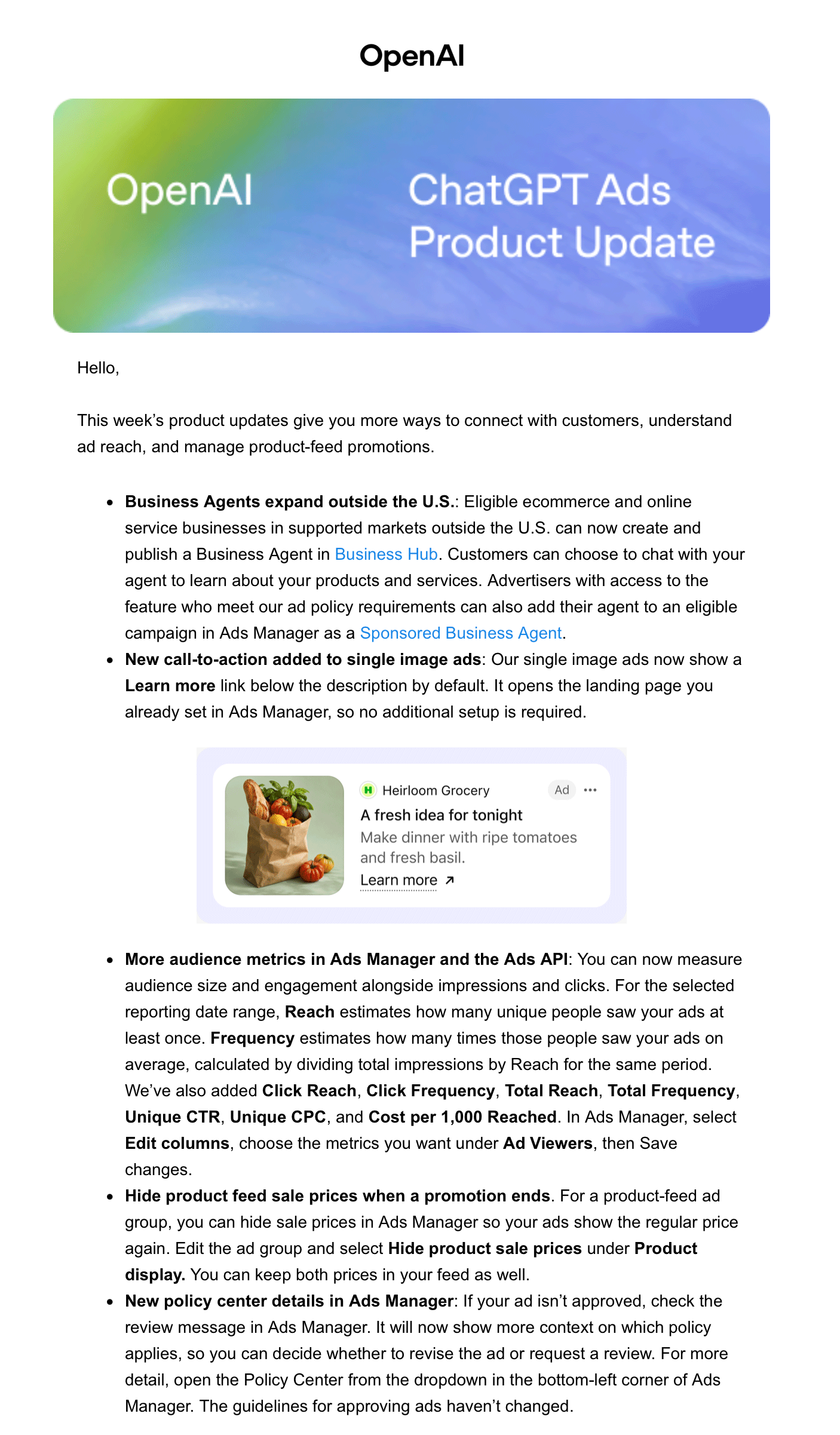
(1) Learn more call to actions: There is a new call-to-action added to single image ads. On ChatGPT single image ads now show a "Learn more" link below the description by default. It opens the landing page you already set in Ads Manager, so no additional setup is required, OpenAI wrote.
Here is what it looks like:

(2) Business Agents expand outside the U.S.: Eligible ecommerce and online service businesses in supported markets outside the U.S. can now create and publish a Business Agent in the ChatGPT Business Hub. Customers can choose to chat with your agent to learn about your products and services. Advertisers with access to the feature who meet our ad policy requirements can also add their agent to an eligible campaign in Ads Manager as a Sponsored Business Agent.
(3) More audience metrics in Ads Manager and the Ads API: You can now measure audience size and engagement alongside impressions and clicks. For the selected reporting date range, Reach estimates how many unique people saw your ads at least once. Frequency estimates how many times those people saw your ads on average, calculated by dividing total impressions by Reach for the same period.
OpenAI also added Click Reach, Click Frequency, Total Reach, Total Frequency, Unique CTR, Unique CPC, and Cost per 1,000 Reached. In Ads Manager, select Edit columns, choose the metrics you want under Ad Viewers, then Save changes.
(4) Hide product feed sale prices when a promotion ends. For a product-feed ad group, you can hide sale prices in Ads Manager so your ads show the regular price again. Edit the ad group and select Hide product sale prices under Product display. You can also keep both prices in your feed.
(5) New policy center details in Ads Manager: If your ad isn’t approved, check the review message in Ads Manager. It will now show more context on which policy applies, so you can decide whether to revise the ad or request a review. For more detail, open the Policy Center from the dropdown in the bottom-left corner of Ads Manager. OpenAI said the guidelines for approving ads haven’t changed.
Here is a screenshot of the email:
Forum discussion at X.