

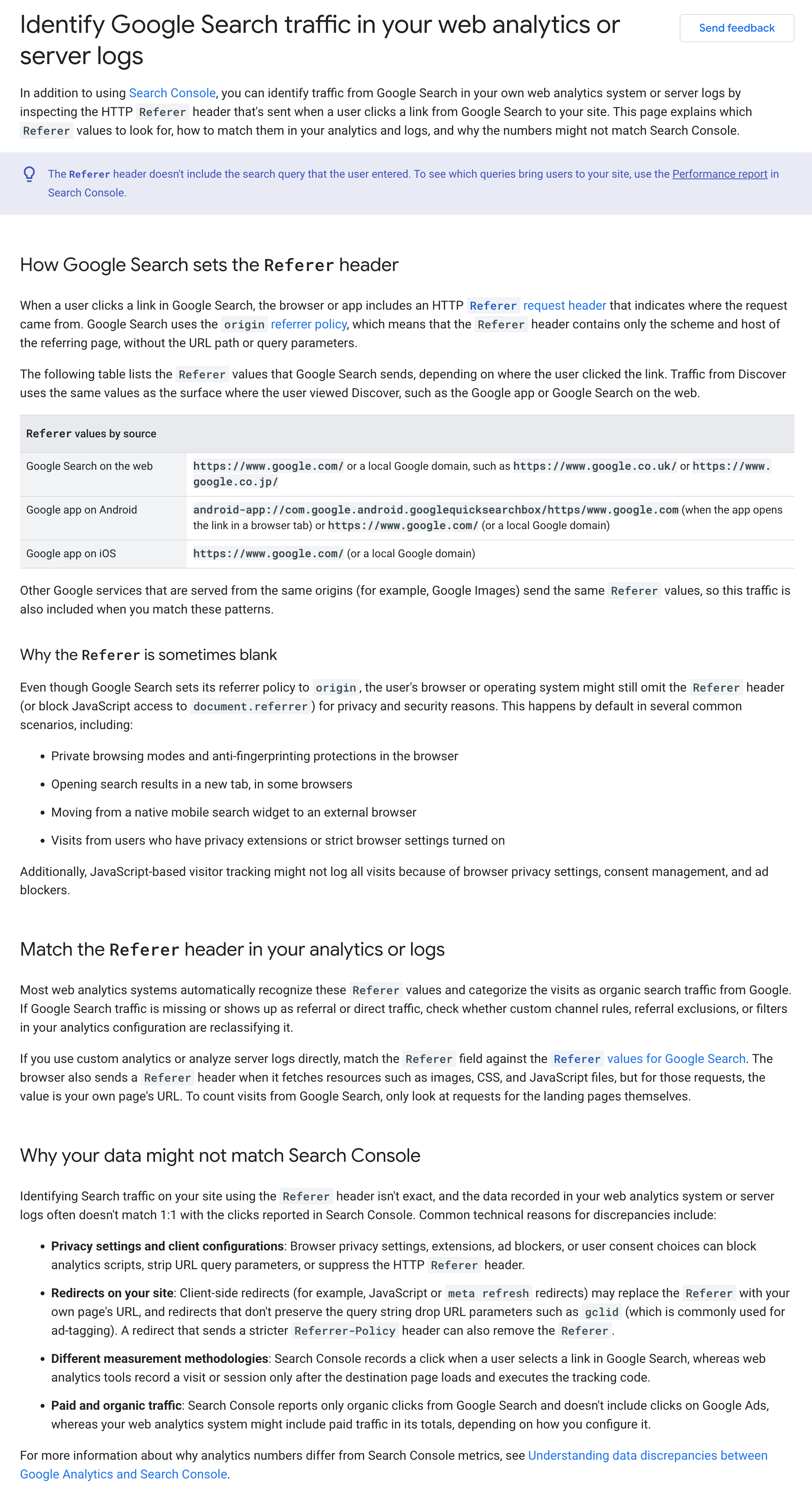
Google has published a new help document named Identify Google Search traffic in your web analytics or server logs. This document explains how to see if Google Search is sending you traffic in your own web analytics system or server logs by inspecting the HTTP Referer header.
Google announced this saying, "Added a new page about identifying traffic from Google Search using HTTP Referer headers." They added this "to document how site owners can identify and track traffic from Google Search in their web analytics systems."
The help document says:
In addition to using Search Console, you can identify traffic from Google Search in your own web analytics system or server logs by inspecting the HTTP Referer header that's sent when a user clicks a link from Google Search to your site. This page explains which Referer values to look for, how to match them in your analytics and logs, and why the numbers might not match Search Console.
It also covers how Google Search sets the Referer header, why the Referer is sometimes blank, how to match the Referer header in your analytics or logs and why your data might not match Search Console.
I wonder why Google posted this when we don't see that much traffic from Google Search these days. 🥁
Here is a screenshot of this page:
Forum discussion at X.