Google has added Gemini to the Google Trends Explore page to help you find new and fresh search terms. It will also compare those search terms automatically for you, all in a new design.
This is rolling out now, but you might not see it just yet.
Google wrote, "We’ve reimagined the Trends Explore page to make it even easier for journalists, content creators, researchers or anyone interested in Search trends to find insights, get inspired and dive deeper into a topic."
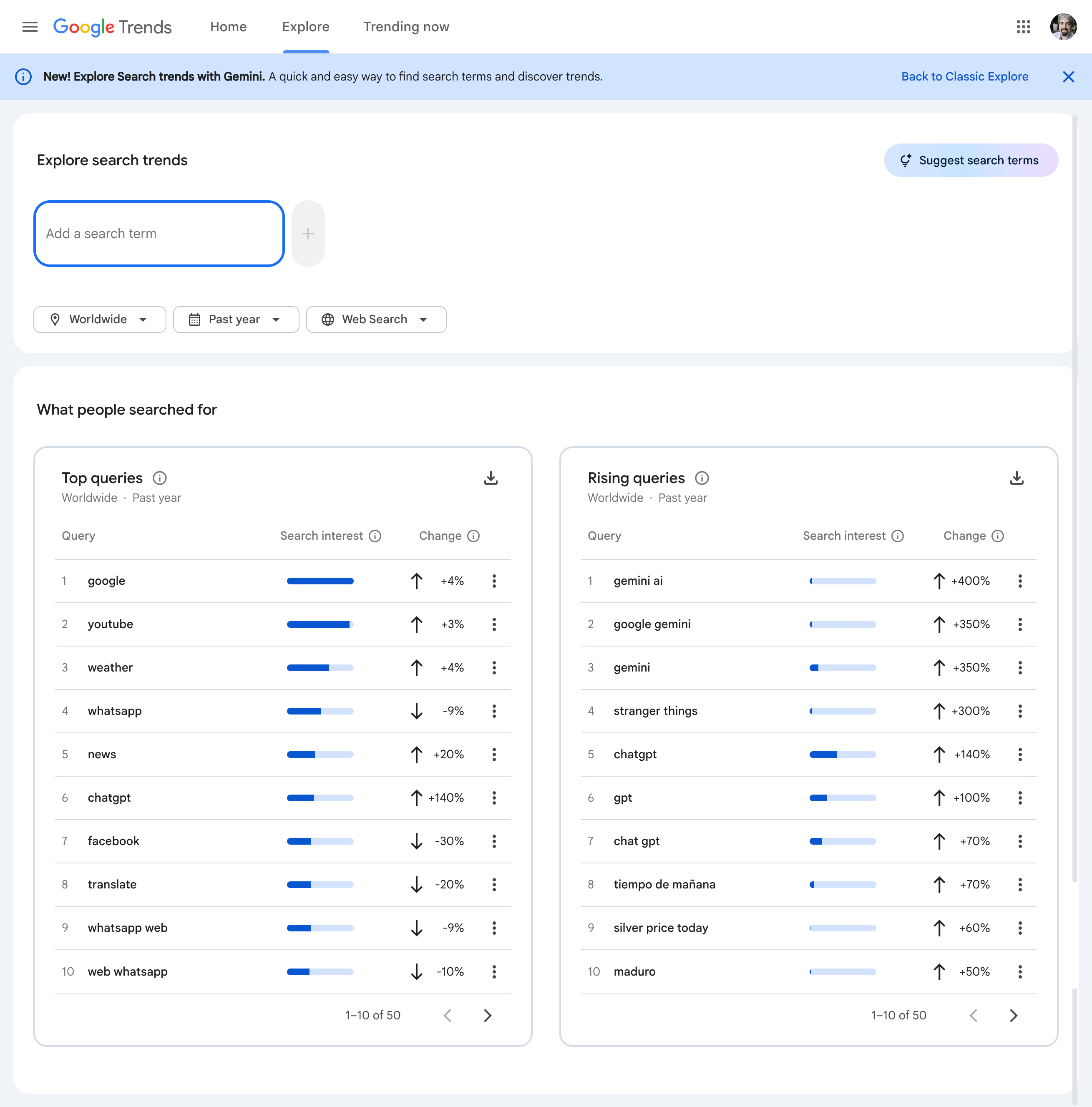
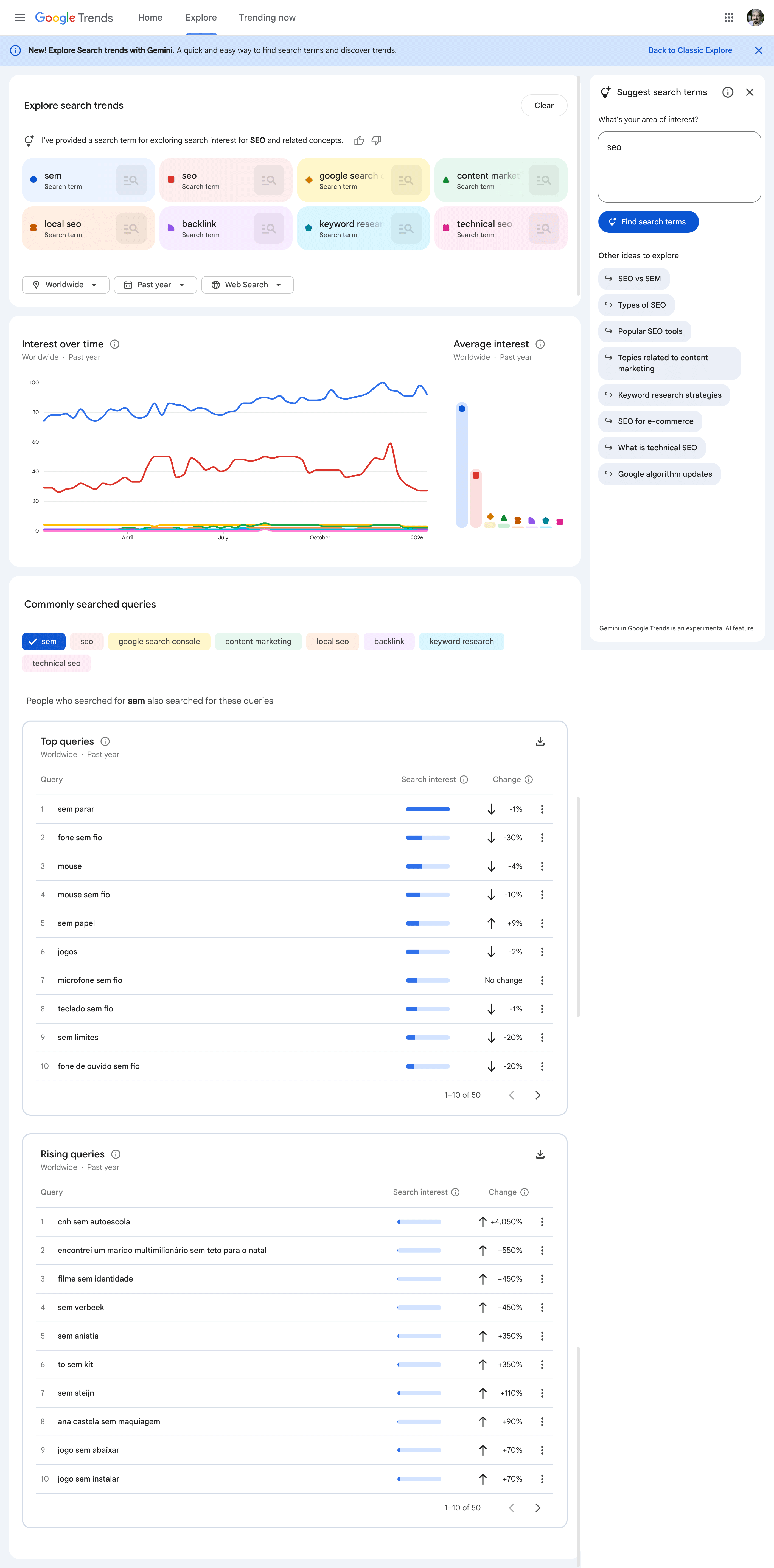
With Gemini, the new Explore page has a new side panel that automatically identifies and compares relevant trends for your area of interest. Google also shows you a list of suggested Gemini prompts to help you explore further.
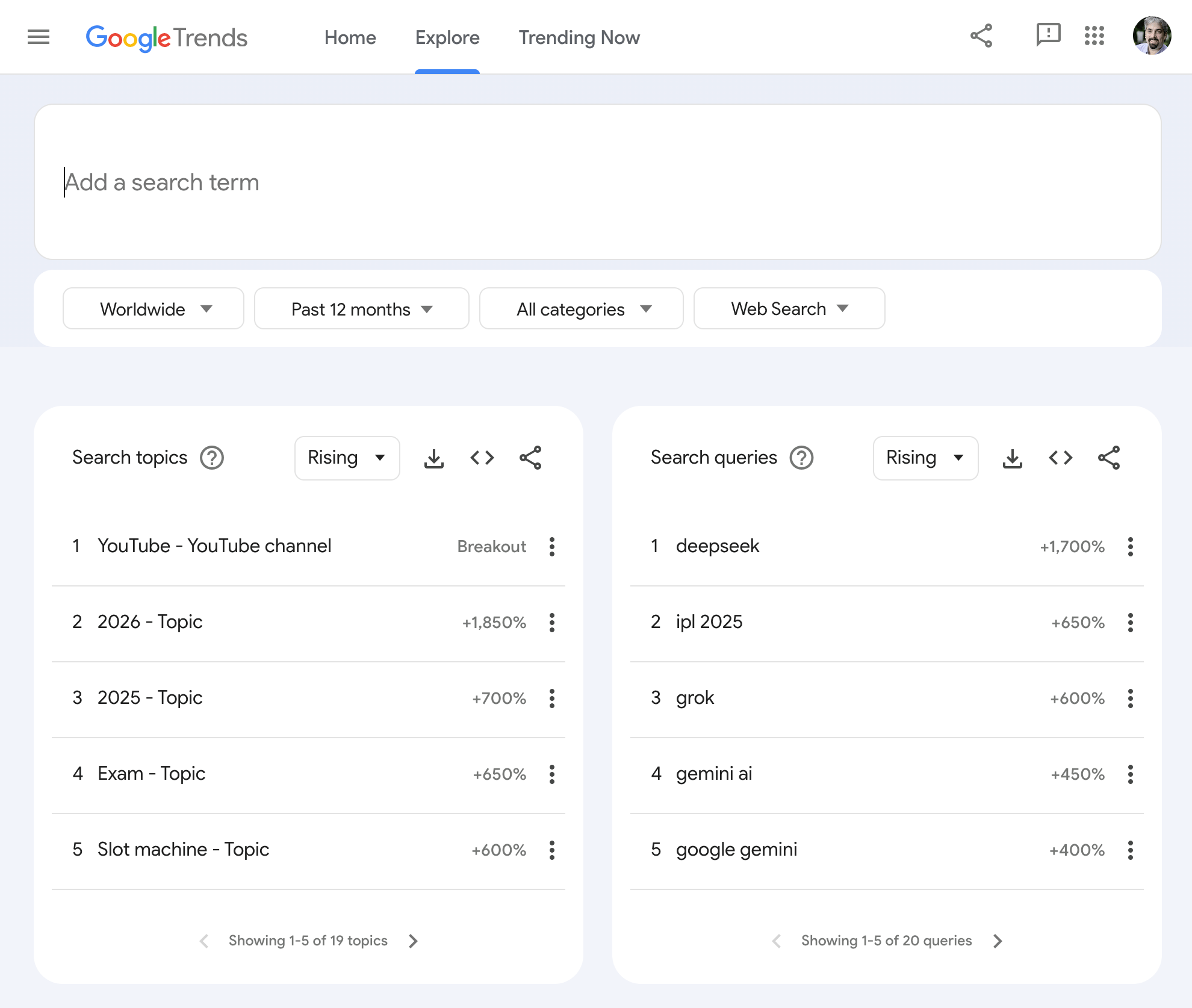
Here is the old design:
Here is the new design:
Here is what it looks like when you try it out:
This is just desktop right now and again, a gradual rollout.
Google added "The page has a new, modern look to help you better understand trends data. Each search term gets dedicated icons and colors, which makes it easier to match each term with its line on the graph. We've also increased the number of terms you can compare, and we’ve doubled the amount of rising queries we show on each timeline, so you can better understand why a query is trending," Google added.
This evolution brings me back to the early days of the product, almost 20 years ago. We reminisce on the history of Google Trends with Simon Rogers in this blog:https://t.co/d9CbG5D0dy
— Yossi Matias (@ymatias) January 15, 2026
Forum discussion at X.