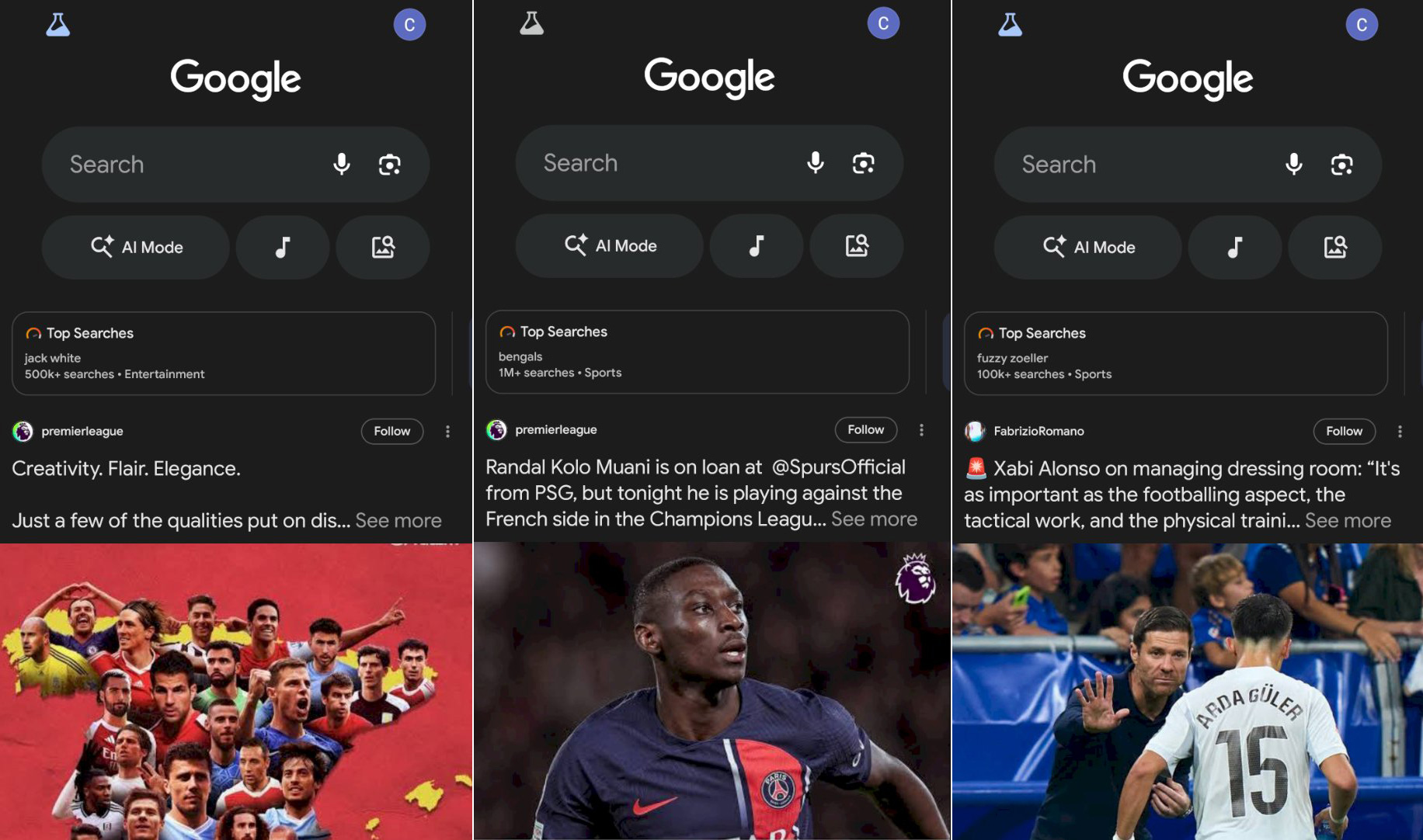
Google is testing a new widget at the top of the Google Discover feed. It is called "Top Searches," and it will randomly show some of the top searches across Google Search. And guess what, when you click on them, it takes you into AI Mode, not Google Search.
This test was spotted by Damien (andell) who posted some examples on X. He said the Top Searches change each time you refresh the Google Discover feed, here are some examples:
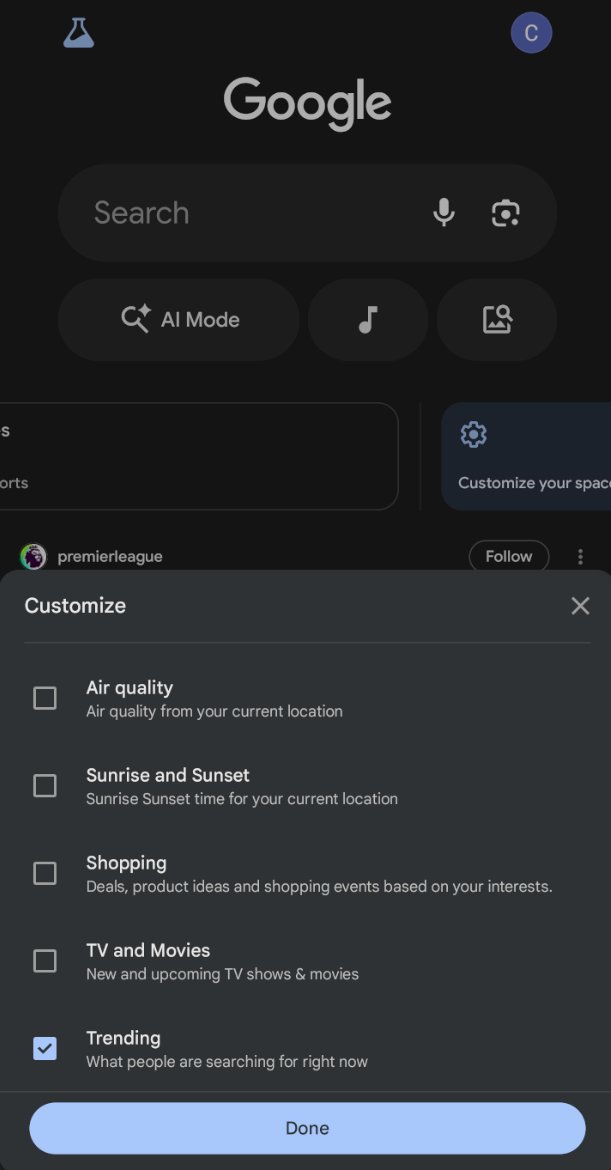
He also shared this setting where you can control what you see:
Here is what he posted:
Each refresh of the discover feed generates a new "Top Searches" query. pic.twitter.com/htg2zdz2FS
— Damien (andell) (@AndellDam) November 28, 2025
Forum discussion at X.
Update: A new option for "keep searching."
Another option, "Keep searching" is a widget in the "Customize your space" section, just above the Discover feed.
— Damien (andell) (@AndellDam) December 3, 2025
I had trouble understanding what this option triggered. I think it's the new "Search you might like" suggestions that appear when you click on the search bar, but… https://t.co/3liZFI3RWI pic.twitter.com/nWlpuAQ6Z3