
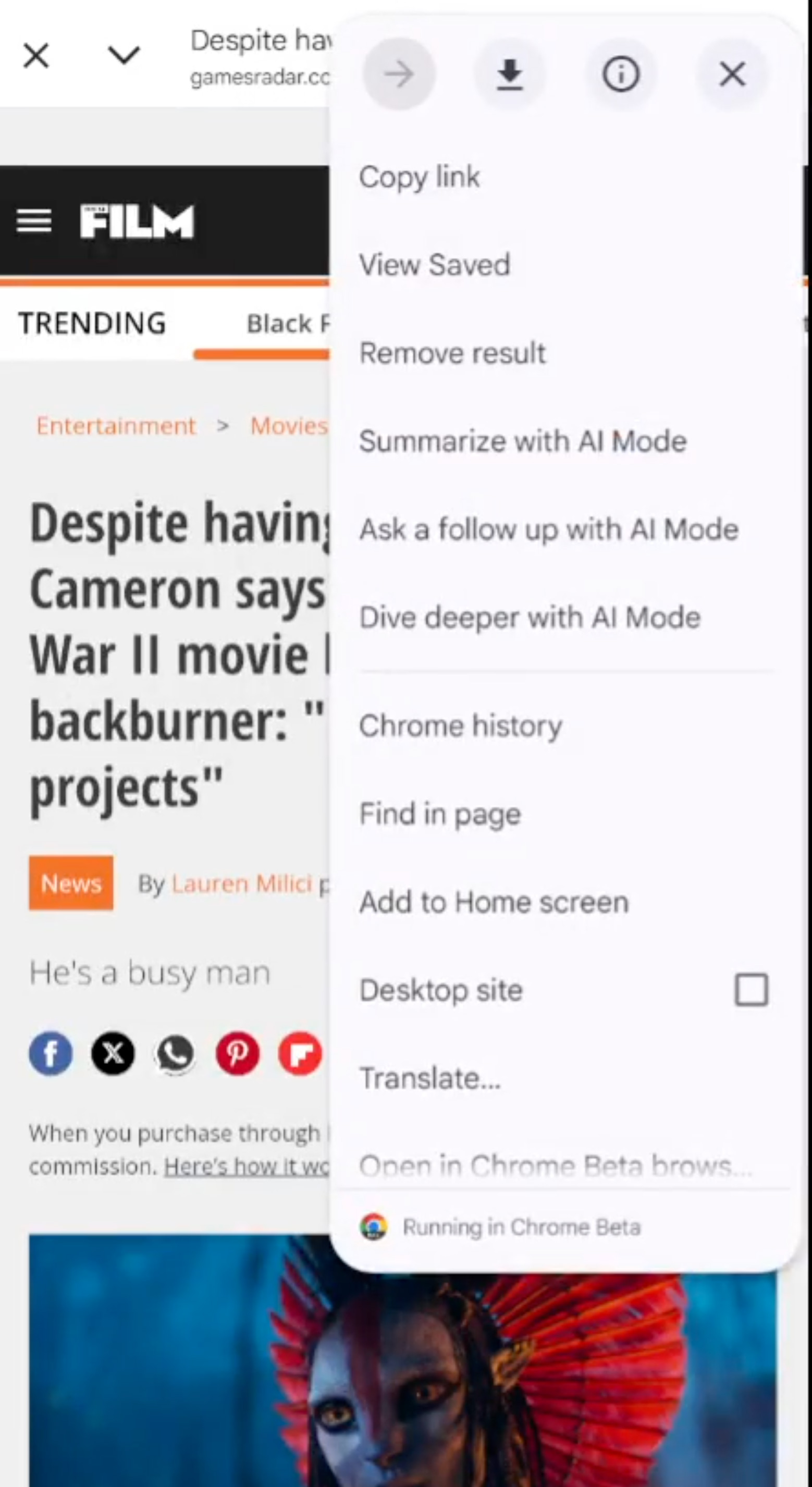
Google is adding more AI features to Google Discover, specifically pushing people from articles in Google Discover into Google AI Mode. When you click on an article from Google Discover and then click on the three dots at the top right of the screen, you are given three options to go into AI Mode.
To clarify, I am told this is not just Google Discover, but the Google App on Android, for any webpage you are looking at.
The options include:
- Summarize with Al Mode
- Ask a follow up with Al Mode
- Dive deeper with Al Mode
This was spotted by Damien (adell) on X who posted a video of this in action - here is a screenshot from his video:
Here is the video:
AI Mode in Google Discover/Google App offers three options when visiting a URL via the Discover feed with Chrome.
— Damien (andell) (@AndellDam) November 30, 2025
1 - "Summary with AI Mode"
2 - "Ask for a follow-up with AI Mode"
3 - "Dive deeper with AI Mode"@gaganghotra_ @rustybrick pic.twitter.com/JG0SRACr1P
Here is another:
Google is rolling out three new "AI Mode"-related options to the overflow menu of Chrome Custom Tabs opened from the Google app: Summarize, Ask a follow up, and Dive deeper:https://t.co/Ti1JFrLOAZ pic.twitter.com/korZsC3LTU
— Leopeva64 (@Leopeva64) November 27, 2025
I wonder if users will actually use this.
As an FYI, this is not on iOS yet, just Android:
not getting it in the iOS Google App...
— Barry Schwartz (@rustybrick) November 30, 2025
I have it on Android, not on iPhone.
— Glenn Gabe (@glenngabe) December 1, 2025
This might be Android only. They added a chrome custom tab activity for AI mode in last week's beta update but I wasn't sure about its purpose until I saw the post when gagan tagged.
— AssembleDebug (Shiv) (@AssembleDebug) December 1, 2025
I don't know if chrome custom tabs are a thing on iOS or not. pic.twitter.com/usT2eThYCZ
Forum discussion at X.