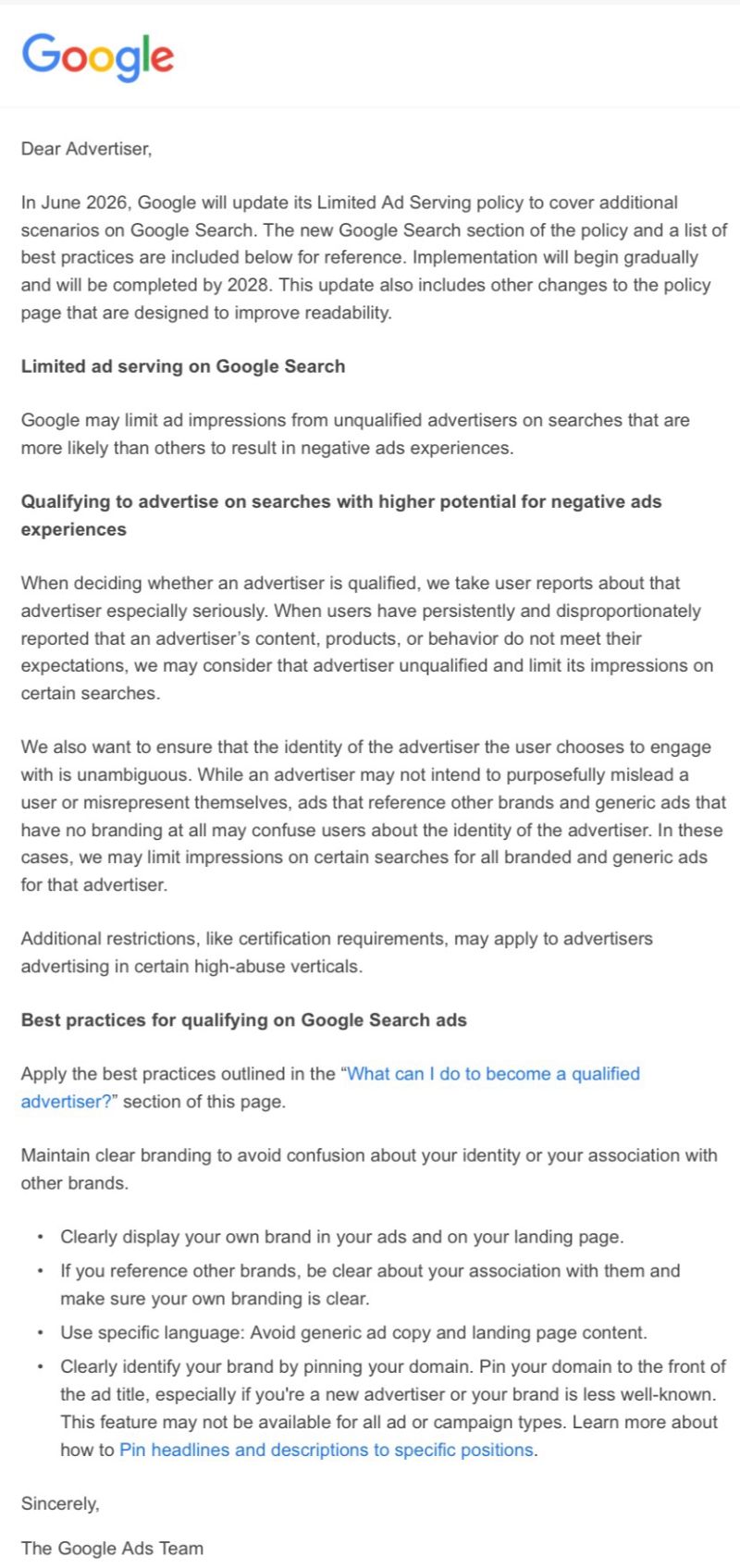
Google sent out an email notice to some advertisers saying, "Google will update its Limited Ad Serving policy to cover additional scenarios on Google Search." "Google may limit ad impressions from unqualified advertisers on searches that are more likely than others to result in negative ads experiences," Google explained.
The Google Ads limited serving policy is not new, it was introduced a few years ago. But Google may have decided to crack down more on "unqualified advertisers" that lead to a "negative ads experiences" in Google Search.
This change starts this month, June 2026, and will be gradually implemented over the next several months, with completion by 2028. Google also posted about this over here if you want to read that instead of this.
Google wrote in the email:
When deciding whether an advertiser is qualified, we take user reports about that advertiser especially seriously. When users have persistently and disproportionately reported that an advertiser's content, products, or behavior do not meet their expectations, we may consider that advertiser unqualified and limit its impressions on certain searches.We also want to ensure that the identity of the advertiser the user chooses to engage with is unambiguous. While an advertiser may not intend to purposefully mislead a user or misrepresent themselves, ads that reference other brands and generic ads that have no branding at all may confuse users about the identity of the advertiser. In these cases, we may limit impressions on certain searches for all branded and generic ads for that advertiser.
Google also posted some "best practices for qualifying on Google Search ads" in the email, it includes:
Maintain clear branding to avoid confusion about your identity or your association with other brands.
- Clearly display your own brand in your ads and on your landing page.
- If you reference other brands, be clear about your association with them and make sure your own branding is clear.
- Use specific language: Avoid generic ad copy and landing page content.
- Clearly identify your brand by pinning your domain. Pin your domain to the front of the ad title, especially if you're a new advertiser or your brand is less well-known. This feature may not be available for all ad or campaign types. Learn more about how to Pin headlines and descriptions to specific positions.
Here is a copy of the email: