
Google just pushed an update to its troubleshooting Google Search crawling errors help document and the what is a sitemap help document. The biggest change is that Google explains whether to fix 404 errors in Search Console or not. But there are other changes in these documents that you should be aware of.
The biggest addition is the new section that says Decide whether to fix 404 errors in Search Console, it says "Seeing 404 errors in Search Console can be concerning, and it's common to wonder whether you need to fix every one of them. In most cases, 404 errors are a normal part of how the web works: returning a 404 or 410 status code for pages that no longer exist or never existed is expected and won't trigger a manual action or harm your site's overall indexing or ranking."
After you confirm that the page wasn't removed by mistake or moved to a new URL, whether to act is a user experience and business decision (for example, if people are still visiting the old URL from external links). Keep the following in mind:
- Unknown URLs are normal: You might see 404 errors in Search Console for URLs that never existed on your site, such as mistyped links or URL-like strings that Google's systems extracted. Generally, you can ignore these errors and leave the URLs returning a 404 status code. However, if a commonly mistyped URL gets meaningful traffic for an existing page on your site, see The page or content is now somewhere else.
- Known 404 URLs don't drain crawl budget: Unlike 5xx server errors and 429 status codes (which signal server overload and reduce your crawl capacity limit), 404 and 410 status codes don't lower your site's crawl capacity, and already-crawled 404 URLs in Search Console don't meaningfully consume crawl budget.
- Update your sitemaps: If a removed URL is still listed in a sitemap, remove it from the sitemap. Note that once Google has crawled a URL, our crawlers might continue checking it occasionally even after it returns a 404 status code. Returning a 410 status code generally leads to less frequent crawling (for indexing, Google treats 404 and 410 status codes the same).
- Don't block 404 URLs with robots.txt: Google needs to crawl a removed URL to see the 404 or 410 status code and remove the page from the index. Blocking 404 URLs in robots.txt prevents Google from seeing the status code.
- Don't redirect removed pages to your home page or serve placeholder content: Redirecting nonexistent URLs to an unrelated page (such as your home page) or creating fake placeholder content instead of returning a 404 or 410 status code can confuse users and search engines, and Google treats these as soft 404 errors. Only redirect when you have an equivalent replacement page (see The page or content is now somewhere else).
Google wrote they "Updated the crawling errors troubleshooting guide with a video and guidance on when to ignore 404 errors, how 404 URLs affect crawl budget, updating sitemaps for removed URLs, and avoiding common pitfalls such as blocking 404 pages in robots.txt or redirecting them to your home page." This was done to "consolidate our 404 troubleshooting guidance from the Search Console Help Center (now redirecting) into Search Central documentation."
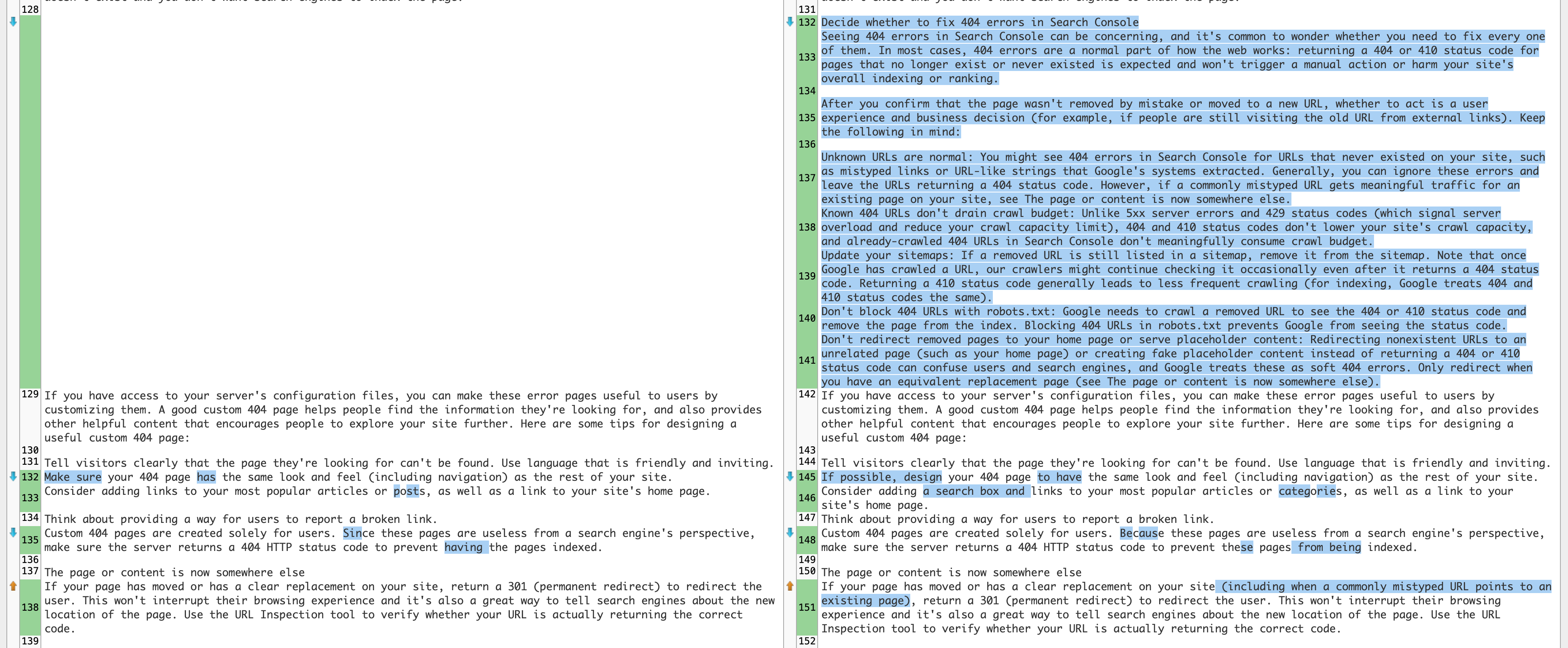
Here is the diff on this:
Google also updated the what is a sitemap to say, "Also, omitting or removing a URL from your sitemap doesn't prevent Google from crawling or indexing it if Google discovers the URL through links from other web pages. To keep a page out of Google Search, block indexing with noindex."
Google wrote, "Ported information that's still relevant today from our oldest blog posts (from 2005!) to our sitemaps documentation, such as that nested sitemap index files aren't supported and HTML sitemaps can't be submitted in Search Console." This was done to "preserve still-accurate guidance from early Search Central blog posts in our documentation," Google added
Here is the diff:

Forum discussion at X.