Google Desktop For My Apple Mac

Apr 9, 2007 - 6:50 am 0 by
Filed Under Misc Google

Last week the Google Blog announced as did the Google Mac Blog, the release of Google Desktop for Mac. Since I am a Mac user, I thought I give it a bit of a review. Of course, there are dozens of blog posts on this already, much of that can be spotted at Techmeme.com.

Here are the steps I took to install Google Desktop for Mac: (1) Click install (2) Agree to terms of service (3) Open DMG file (4) Double click on installer package (5) Respond to all the messages that require confirmation that you want to install it (6) Wait for the program to index my complete hard drive (I am nervous!) I am watching it index, its spiking up the CPU between 5% and 96%, but probably on average 25%.

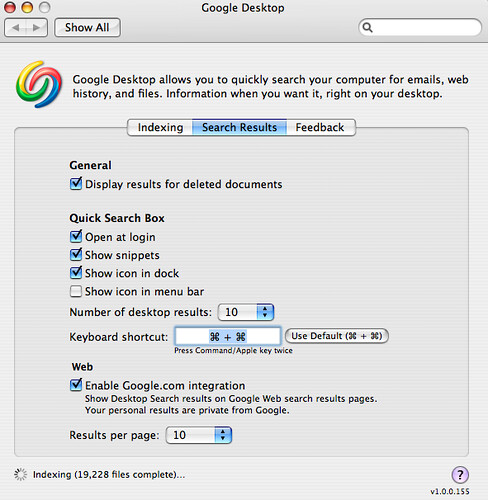
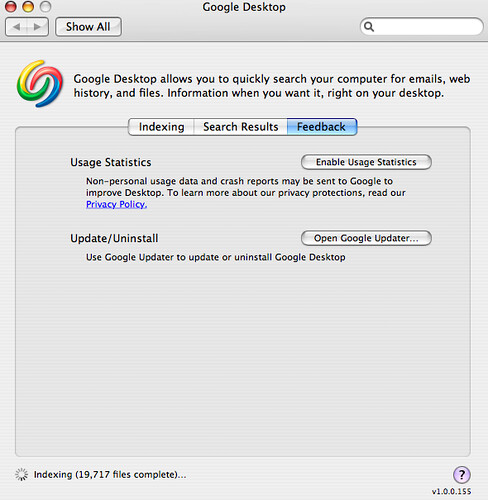
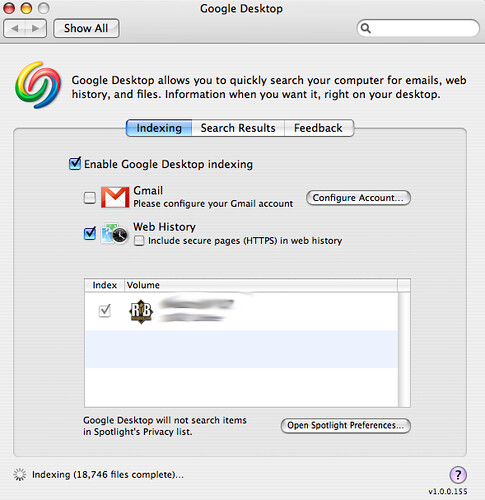
In the mean time, here are screen captures of Google Desktop in my System Preferences.
Google Desktop Max System Preferences

Google Desktop Max System Preferences

Google Desktop Max System Preferences

I think I am ready to uninstall this. The Spotlight feature on Apple to search my files tends to work just fine for me.

Forum discussion at DigitalPoint Forums.

This article was written this past Friday and scheduled for publication for Monday.

 

Popular Categories

The Pulse of the search community

Search Video Recaps

 
Video Details More Videos Subscribe to Videos

Most Recent Articles

Search Forum Recap

Daily Search Forum Recap: January 2, 2026

Jan 2, 2026 - 10:00 am
Search Video Recaps

Search News Buzz Video Recap: Google December Core Update Done, News Publishers Hit Hard, Frankenstein AI Recipe Horror & Happy New Year

Jan 2, 2026 - 8:01 am
Google Search Engine Optimization

Some News Publishers Saw Big Declines With The Google Core Update

Jan 2, 2026 - 7:51 am
Search News

(John) Mueller Report Of SEO Memes (2025 Edition)

Jan 2, 2026 - 7:41 am
Google

Google Search Tests Blue Send Button In Query Box

Jan 2, 2026 - 7:31 am
Google Search Engine Optimization

Google: Why 404s Don't Matter For SEO

Jan 2, 2026 - 7:21 am
 
Previous Story: "Note This" Button In Google.com Search Results