Google began testing new navigational element buttons and icons in Google Maps in October. Google has begun rolling this out on January 19, 2011.
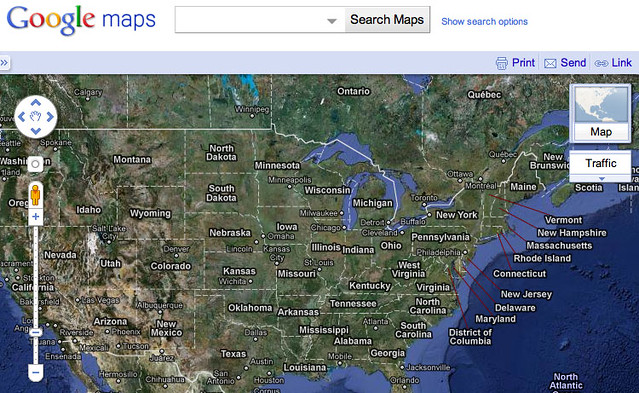
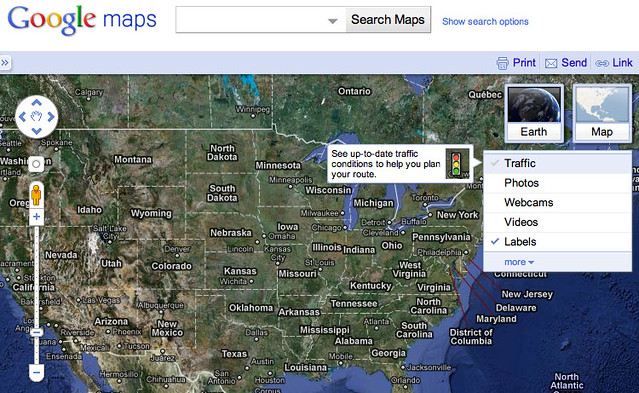
I personally see them when using Google Maps. Here is how they look. The new icons are on the top right and open up when you mouse over.
Here is a closed state screen capture:
Here is an open state screen capture:
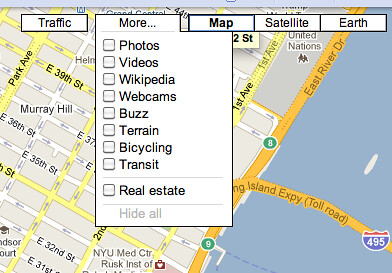
How did they look prior to this update? Here is a picture:
Not everyone likes the new navigation buttons in Google Maps. We have some complaints at Google Maps Help forums. It seems like most of the complaints come in the form of the new feature not working.
I suspect there may be some issues with older browsers or issues with specific browsers not getting the full update due to cookie or caching issues. I am not sure.
In one thread, Googler, Amanda L. said:
Hi all - thanks for all of the reports. A common theme seems to be IE 8 & 9. By chance, do any of you know if you're using 64 bit or 32bit versions of windows?
It appears Google is indeed debugging the issue.
Do you like these new buttons? Do you see them?
Forum discussion at Google Maps Help.