
Google SMS Search Not Returning Search Results | Main | Gmail Mobile Bug Allowing Security Breaches Of Other Google Email Users?

How To Get a Locations Longitude/Latitude Using Google Maps on iPhone

Believe it or not, there are times where I want to find the latitude and longitude values of the location I am currently at or at an other location. I spotted a Google Mobile Help thread that goes through the steps on how to obtain the latitude and longitude using Google Maps. I found it interesting and I thought I document the process.

Step 1: Open up the Maps application on your iPhone and find the location you want to get the latitude and longitude for. Either your current location or scroll through the map or enter in the location by name.

Step 2: Click on the right bottom most button and then hit "Drop Pin."
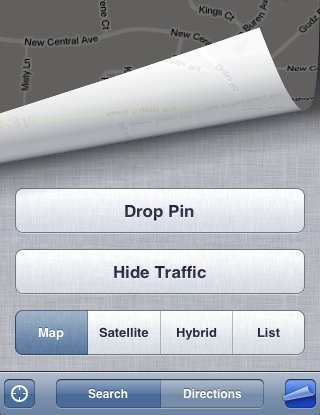
Google Maps Drop Pin

Step 3: Drag the pin to where you want to find the latitude and longitude:
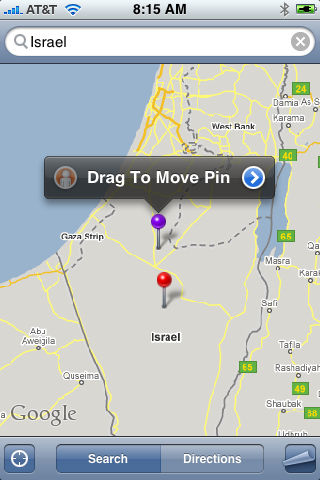
Google Maps Drop Pin Long Latitude

I picked an area that is under extreme turmoil right now, the border of Gaza:
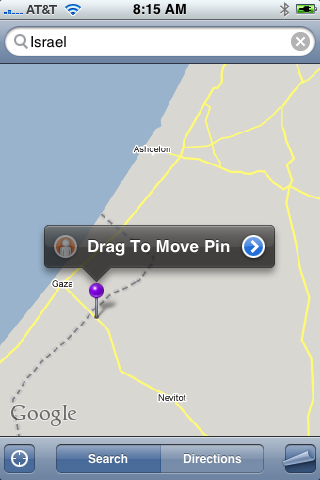
Google Maps Drop Pin Long Latitude

Step 4: Click on the blue, right arrow, above the pin. That will bring up this screen:
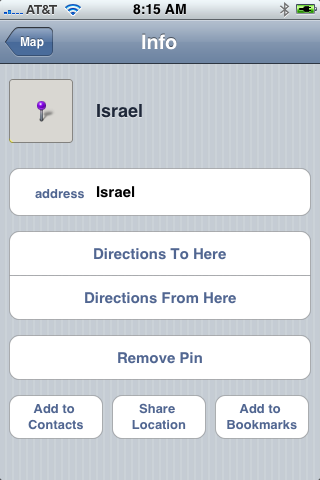
Google Maps Drop Pin Long Latitude

Step 5: Click on the "Share location" button, which will open an email containing a link to Google Maps, coded by the longitude and latitude:
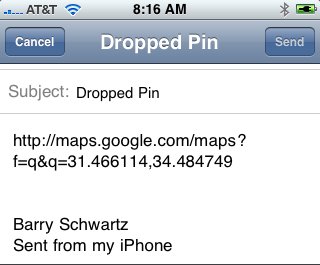
Google Maps Drop Pin Long Latitude

There you go, here is the link, if you are interested. It is at 31.466114/34.484749, which seems to be off from the border by a few miles.

Forum discussion at Google Mobile Help.



Like The Story? Vote For It On Yahoo Buzz! Or On Sphinn!

posted rustybrick in Local Search at January 8, 2009 8:17 AM Comments (3)

Comments

Actually, it does not give you degrees, minutes and seconds, it gives you degrees and decimals of degrees.....


The whole units of degrees will remain the same (i.e. in 121.135° longitude, start with 121°).
Multiply the decimal by 60 (i.e. .135 * 60 = 8.1).
The whole number becomes the minutes (8').
Take the remaining decimal and multiply by 60. (i.e. .1 * 60 = 6).
The resulting number becomes the seconds (6"). Seconds can remain as a decimal.
Take your three sets of numbers and put them together, using the symbols for degrees (°), minutes (‘), and seconds (") (i.e. 121°8'6" longitude)


No longer works..google maps with os 3.0 now sends it as a hyperlink -.-


Post a comment (Note: Can Take 120 Seconds For Your Comment To Show Up)

Do you want us to save your personal Information?


To subscribe to the Search Engine Roundtable, click here

