Google announced a number of updates to help people find and remove personal information and sensitive imagery about themselves from Google. But you would need to give Google this information first, so Google can find it and then remove it.
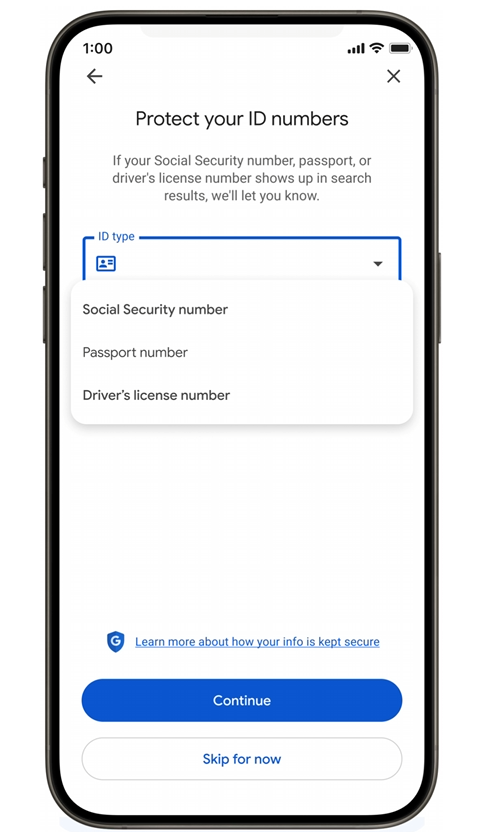
The Results about you feature asks you to add your driver's license, passport, or Social Security number. Google said, "To keep your sensitive information safe, “Results about you” employs Google’s rigorous security protocols and advanced encryption to prevent misuse and ensure your privacy."
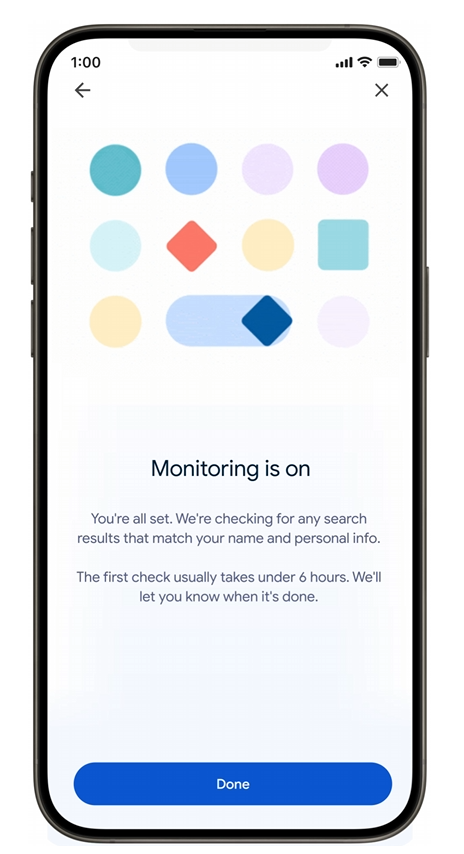
Once you have given Google your information and Google confirmed your details, Google will automatically track it for you going forward. Then if something match, Google will notify you if it finds any search results containing that information.
Here are some screenshots:
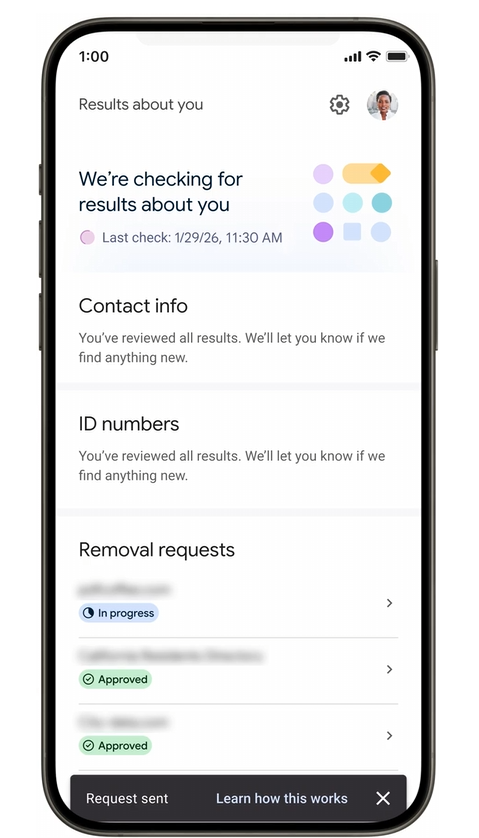
Google did clarify that "removing this information from Google Search doesn’t remove it from the web entirely, but this is an important step in helping you stay in control of your online presence and keep your private information private."
Then there is the new way to remove explicit images from the web. To access this tool, click on the three dots on an image, select ‘remove result,’ then select ‘It shows a sexual image of me.’ Plus you can now submit multiple images at once. And Google said you can opt in so that Google will proactively filter out any additional explicit results that might appear in similar searches.
But as Glenn Gabe asked, will you be willing to give Google this information in exchange for this? I suspect many will?
Google's 'Results about you' tool expands to protect your social security number, passport info and driver's license. But you have to give Google that info first. Interesting dilemma :)
— Glenn Gabe (@glenngabe) February 10, 2026
"Click “Get started” and add the personal contact information you want to monitor. You’ll… pic.twitter.com/ZXVxn23CnX
Robby Stein from Google:
(2/3) Over 10 million people have used ‘Results about you’ to stay in control of their personal information.
— Robby Stein (@rmstein) February 10, 2026
Here’s how you can opt in:
1️⃣ On your phone, click on your Google account photo to access the ‘Result about you’ hub, or visit https://t.co/mS2VfNd582
2️⃣ Select ‘get…
Forum discussion at X.