Last month, Google announced that it is rolling out text disclaimers within Google Ads globally, in all languages. Well, it seems to have rolled out for many last week, as many are seeing it in their Google Ads accounts.
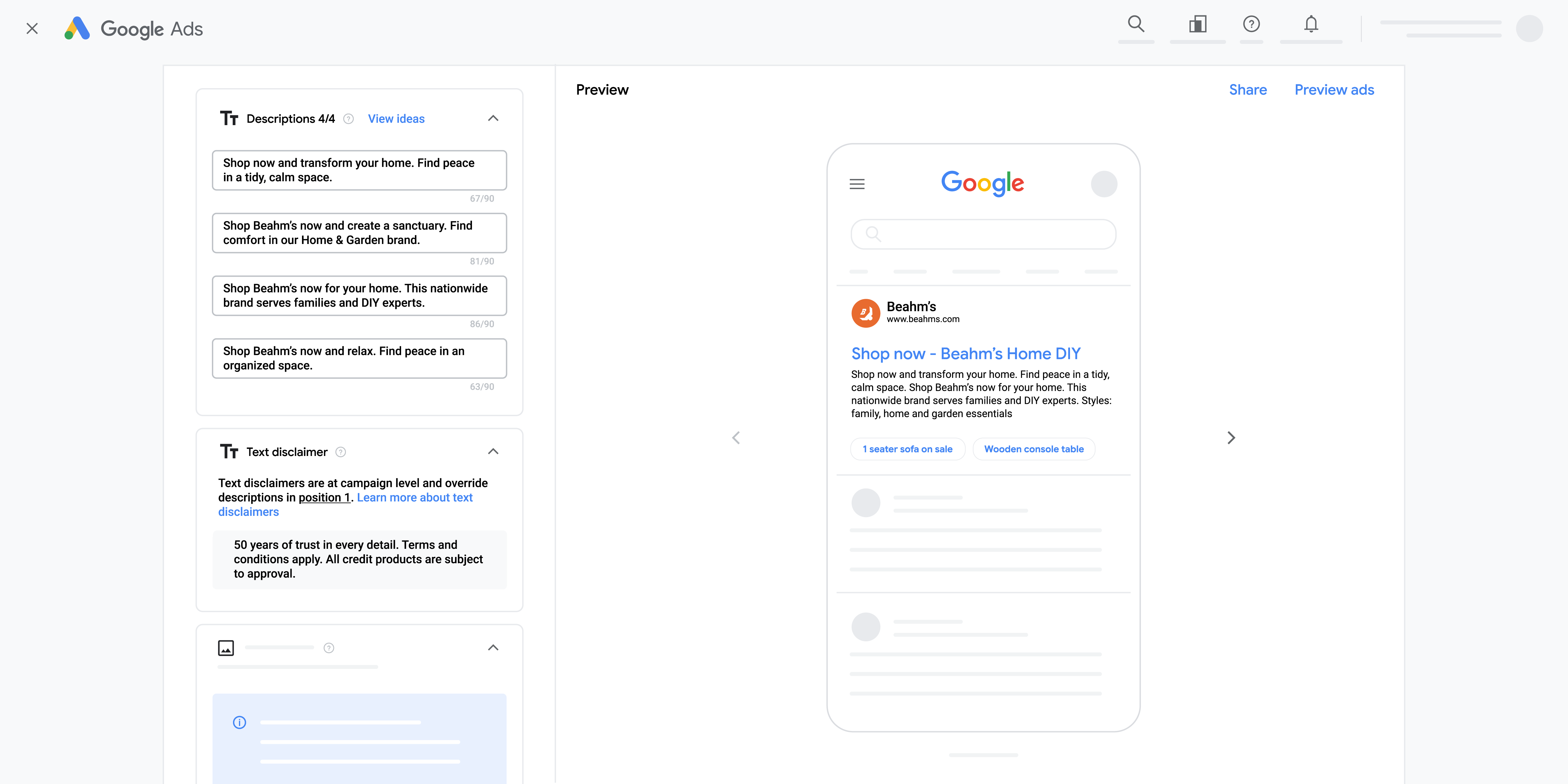
Text disclaimers allow you to display the required terms, conditions, and disclosures related to your business in your existing desktop and mobile text ads. Text disclaimers are guaranteed to appear in the description line section in your responsive search ads (RSA). If your business must ensure specific text, terms, or disclosures appear in your ad for regulatory compliance, this feature guarantees that content will display.
Here is what they look like:
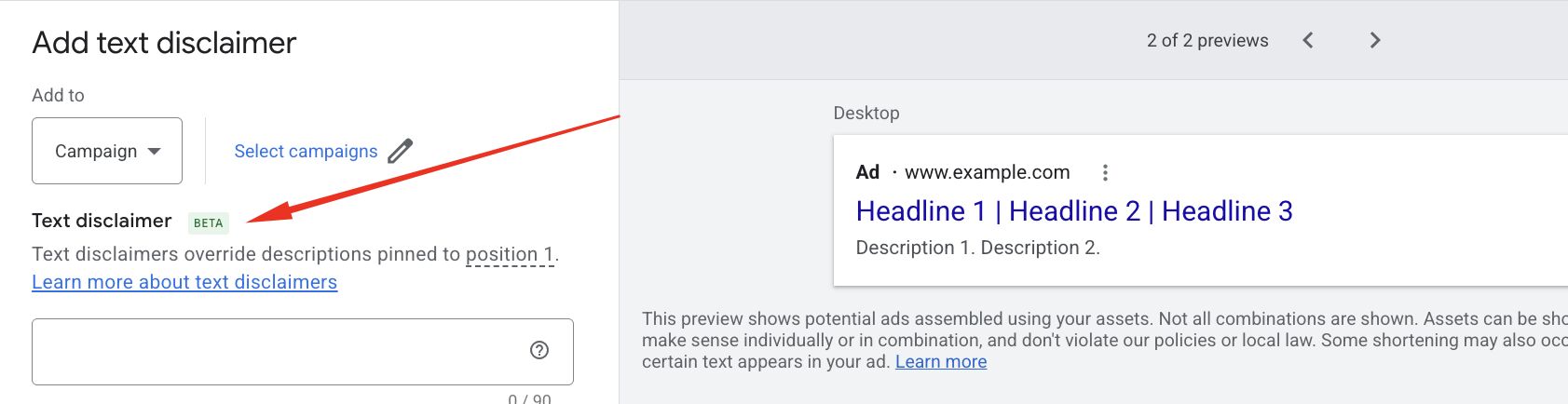
Here is how to add them:
- Go to Assets within the Campaigns menu Campaigns Icon.
- Select the plus button , then select Text Disclaimer.
- Next, select the campaigns that you want to use with the disclaimer asset.
- Enter the text you want to use as a disclaimer under the “Disclaimer” header.
- Note: The character limit for a disclaimer asset is limited to 90.
- Select Save.
Here is a screenshot from Arpan Banerjee who posted he now sees it in his account, he posted this screenshot on LinkedIn:
Also, Anthony Higman spotted it too:
Woah! First Time Seeing "Text Disclaimers" In Google Ads. Not In Ai Max, Just In Assets In A Regular Search Campaign!
— Anthony Higman (@AnthonyHigman) June 19, 2026
Link To Description Page In Comments. #PPCchat pic.twitter.com/DreKQyD9Y4
Forum discussion at LinkedIn.