Are Reciprocal Links Bad? Not Quite. | Main | Google Adds Granular Access To AdWords

YouTube Videos & Google Maps Integration

A WebmasterWorld thread asks, why is there no apparent connection between YouTube videos and Google Maps.

Well, technically, there is. After you upload a video, you have an option of setting the "Date and Map Options." Here are screen captures of me editing a video, and adding the date and map data.

If you "edit your video", you will be presented with the page shown below. All you need to do is scroll down to the "Date and Map Options" and click "choose options":
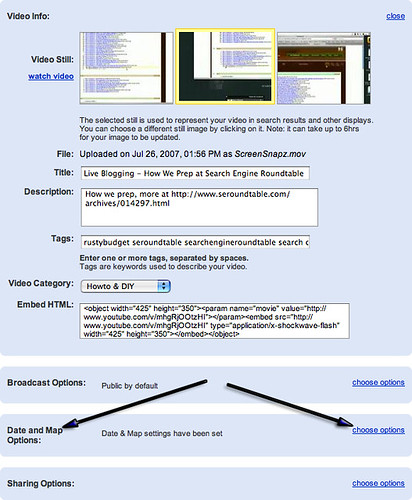
Google Maps on YouTube

The option then opens and will show you this screen:
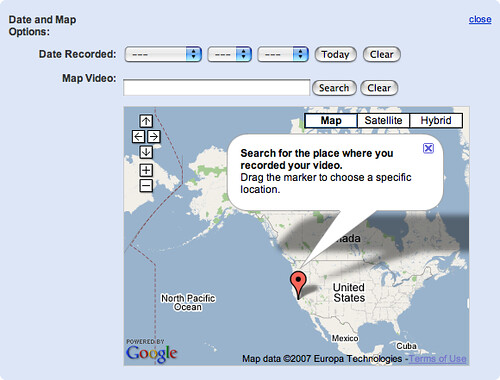
Google Maps on YouTube

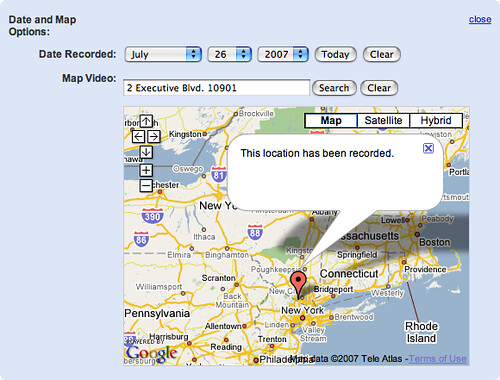
You enter in your information as so:

Google Maps on YouTube

Then fine tune the location by dragging the pin in the exact location, zoom in and select the hybrid view (if that is what you prefer).
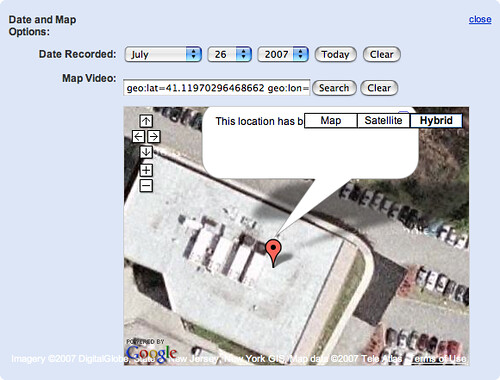
Google Maps on YouTube

Is there a way to search YouTube location? It is not clear from browsing YouTube. But there are mapplets and gadgets you can utilize to get that information.

For example this mapplet allows you to view videos by location. There are many mapplets and mashups that let you utilize these types of searches. I suspect it is just a matter of time for Google to add a search by location to Google Video and YouTube (if not there already).

Forum discussion at WebmasterWorld.



Like The Story? Vote For It On Yahoo Buzz! Or On Sphinn!

posted rustybrick in Other Google Topics at August 14, 2007 7:22 AM Comments (3)

Comments

In the past year I have uploaded several videos to YouTube and geotagged them correctly as described above. However, none of my videos show up in the Google Earth layer. I have written to YouTube and Google Earth about this and have not received any answer.

In the past few months I have tried to edit a few of the video geotags to see saving them again will make a difference. Nothing works.

Any suggestions?

Thank you,

Gary


In the past year I have uploaded several videos to YouTube and geotagged them correctly as described above. However, none of my videos show up in the Google Earth layer. I have written to YouTube and Google Earth about this and have not received any answer.

In the past few months I have tried to edit a few of the video geotags to see saving them again will make a difference. Nothing works.

Any suggestions?

Thank you,

Gary


I noticed that all videos that I see on Google Maps have five star rating... that might be a requirement


Post a comment (Note: Can Take 120 Seconds For Your Comment To Show Up)

Do you want us to save your personal Information?

Premium Sponsors + advertise

To subscribe to the Search Engine Roundtable, click here