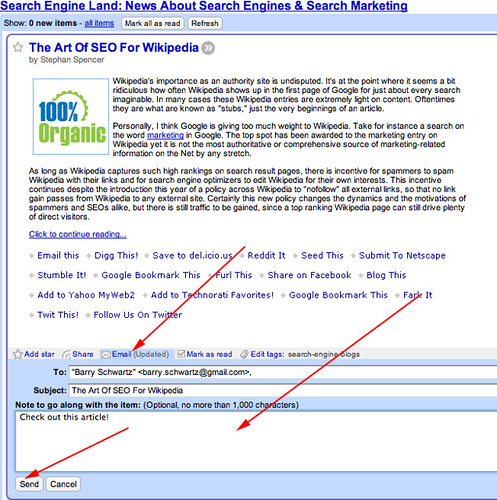
Google Reader has made a few improvements to their email feature. Now when you see an article or story in Google Reader that you want to share with a non-RSS user friend, you can click the email button and it won't open a new window. Here are the new features:
- send email from within Reader -- no more second window for sending email.
- send the entire item as it appears in Reader, including formatting and images.
- use your Gmail address book (if you have one) to add contacts with auto-complete.
Not opening in a new window is very cool, but the addition of the gmail address book with auto-complete rocks also.
Here it is in action:
Forum discussion at Google Groups.